Machine to Transfer VHS to DVD: Professional Guide
The demand for converting vintage VHS tapes to digital formats continues to grow as businesses and institutions race against magnetic media degradation. Whether you operate a digitization shop, manage an archival collection, or provide media conversion services, selecting the right machine to transfer VHS to DVD directly impacts quality, efficiency, and client satisfaction. This professional guide examines hardware options, technical considerations, and workflow strategies that digitization professionals rely on to deliver consistent results while maintaining equipment uptime.
Understanding VHS Transfer Hardware Options
When evaluating a machine to transfer VHS to DVD, digitization professionals face three primary hardware categories, each with distinct technical capabilities and cost implications.
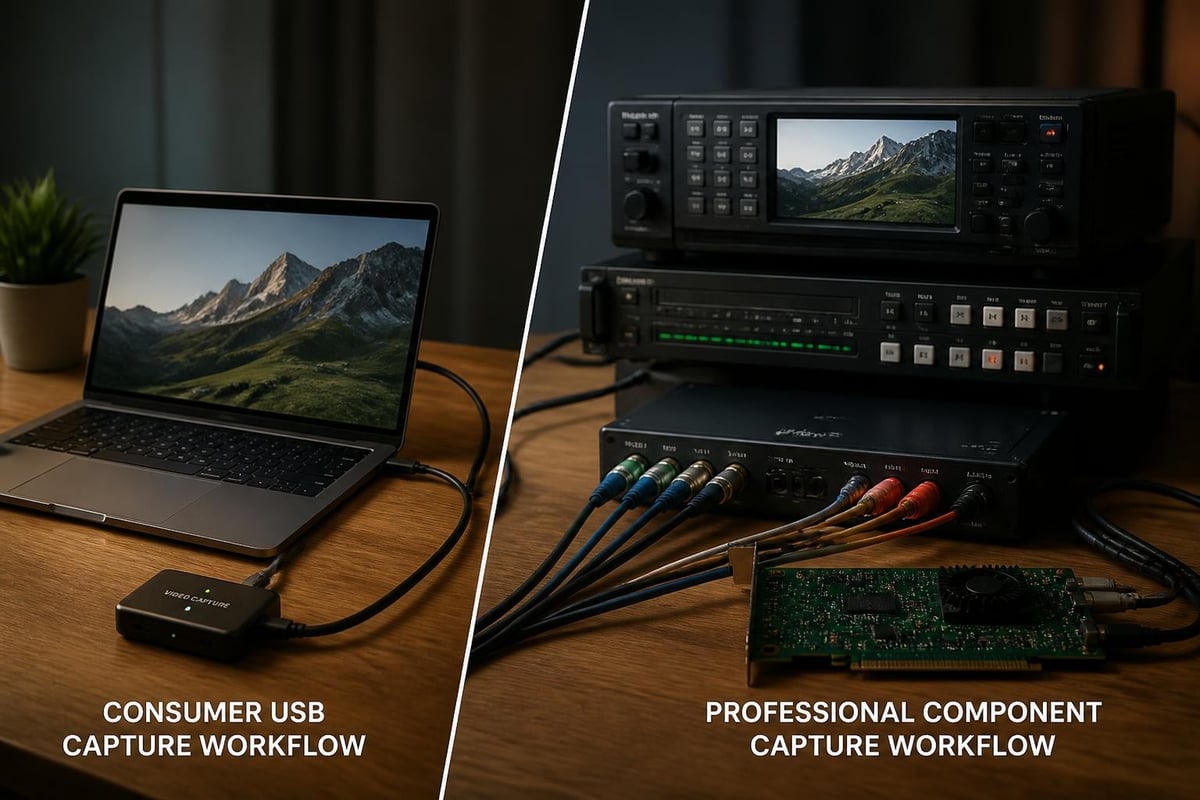
Consumer-Grade USB Capture Devices
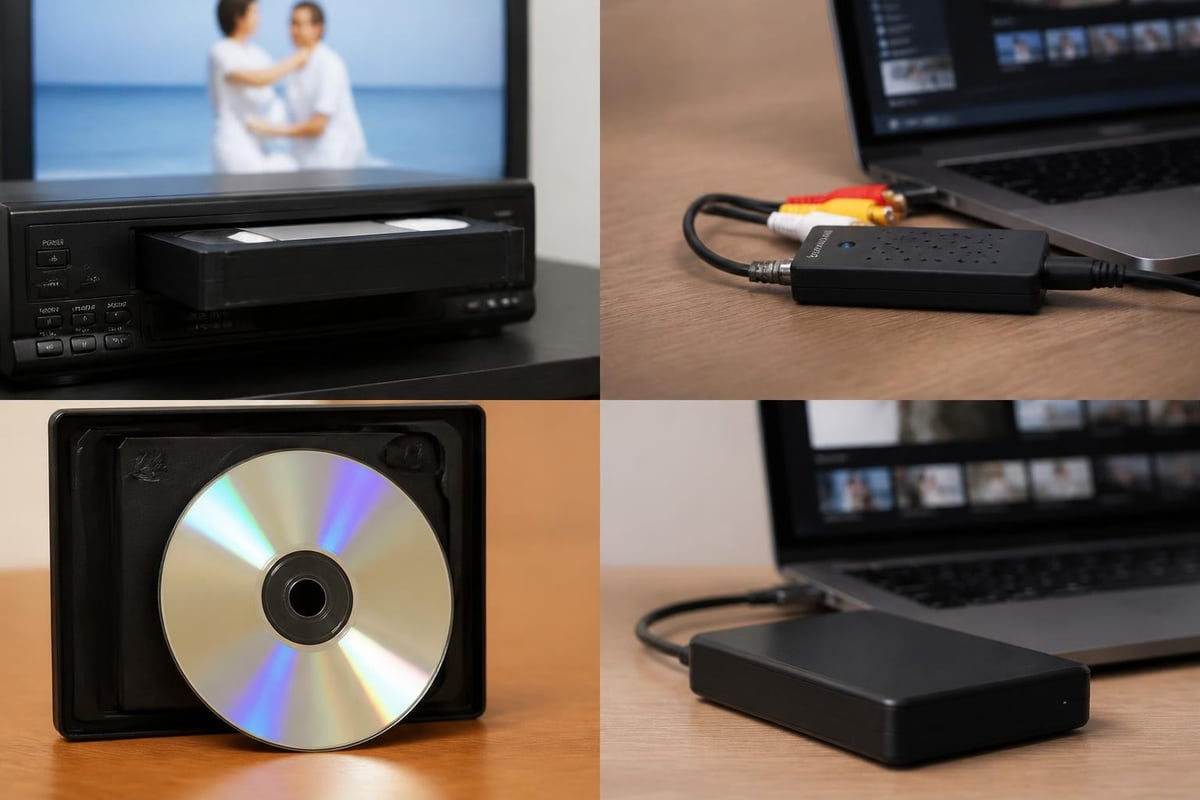
Entry-level USB capture devices connect directly to computers and accept composite or S-Video inputs from VCR playback units. These devices typically cost between $50 and $200 and bundle software for basic capture and DVD authoring.
Advantages of USB capture devices:
- Low initial investment
- Minimal space requirements
- Simple software interfaces for basic projects
- Adequate for personal or low-volume operations
Limitations to consider:
- Limited format support (usually composite video only)
- Lower resolution capture (often 720×480 maximum)
- Inconsistent drivers across operating systems
- No support for professional videotape formats
For digitization shops handling S-VHS or other professional formats, USB capture devices rarely meet technical requirements.
DVD Recorder Combo Units
Standalone DVD recorder/VCR combination units represent the classic machine to transfer VHS to DVD approach. These all-in-one devices feature built-in VHS playback mechanisms and DVD recording capabilities in a single chassis.
| Feature | Consumer Combo | Professional Unit |
|---|---|---|
| Price Range | $150–$400 | $800–$2,000+ |
| Recording Formats | DVD±R/RW | Multiple disc formats |
| Video Inputs | Composite, S-Video | Component, professional inputs |
| Time Base Correction | Limited or none | Built-in TBC |
| Maintenance Access | Difficult | Service-friendly design |
These units appeal to operators seeking simplicity, but combination mechanisms introduce multiple failure points. When either the VHS or DVD component malfunctions, the entire unit becomes unusable until repair.
Professional Component Systems
High-volume digitization operations typically deploy component-based systems that separate playback, signal processing, and capture functions. This architecture provides superior quality control and equipment redundancy.
Essential components include:
- Professional VHS playback deck with S-Video output and built-in time base correction
- External time base corrector (TBC) for signal stabilization
- Professional capture card supporting multiple video formats
- Dedicated workstation with sufficient processing power and storage
- DVD authoring software or standalone DVD recorder for final output
Professional decks from manufacturers like JVC and Sony deliver consistent playback quality across thousands of tapes. These units feature replaceable heads, adjustable tracking, and service documentation that extends operational life well beyond consumer equipment.
Technical Considerations for Quality Transfers
The effectiveness of any machine to transfer VHS to DVD depends heavily on understanding signal chain components and their impact on final output quality.
Time Base Correction and Signal Processing
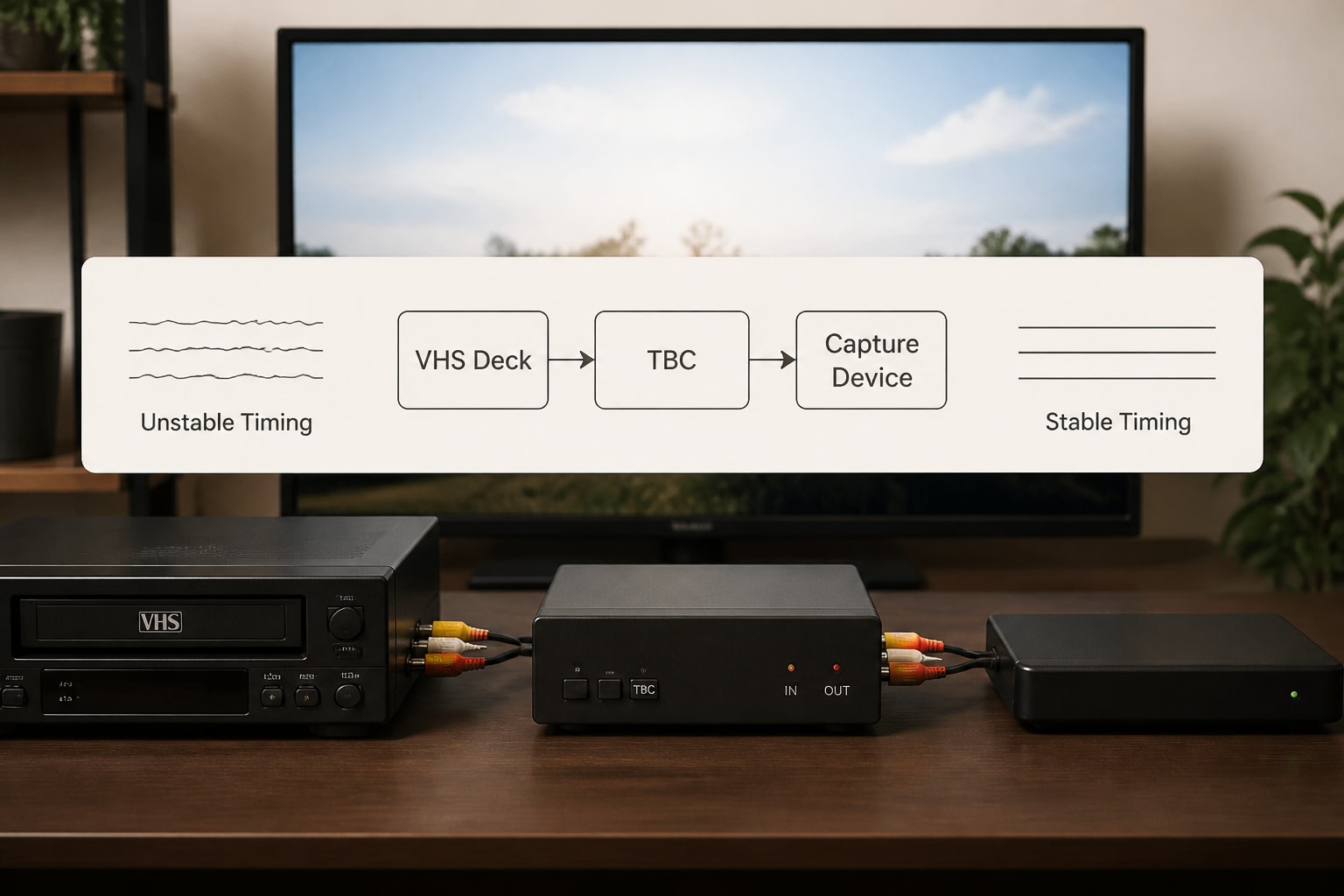
VHS tapes suffer from timing instabilities that manifest as horizontal jitter and sync errors during playback. Time base correction addresses these issues by buffering the video signal and reconstructing stable sync timing.
Why TBC matters:
- Eliminates horizontal jitter from worn tapes
- Stabilizes color burst signals for accurate color reproduction
- Enables clean digital capture without dropped frames
- Required for tapes with physical damage or heavy wear
Professional VHS decks often include integrated TBC circuits, but external TBC units provide additional processing power for challenging tapes. The FADGI technical guidelines recommend TBC for any preservation-quality video transfer work.
Deinterlacing Strategies
VHS records interlaced video fields at 60 fields per second (NTSC) or 50 fields per second (PAL). Converting interlaced content for progressive display on modern screens requires careful deinterlacing to avoid motion artifacts.
| Deinterlacing Method | Quality | Processing Load | Best Use Case |
|---|---|---|---|
| Bob (field doubling) | Low | Minimal | Real-time preview only |
| Weave (field merging) | Poor with motion | Minimal | Static scenes only |
| Motion adaptive | Good | Moderate | General purpose |
| Motion compensated | Excellent | High | Archival masters |
Modern capture software provides multiple deinterlacing algorithms. For archival work, many facilities capture interlaced masters and apply deinterlacing during derivative creation rather than during initial capture.
Resolution and Codec Selection
While VHS native resolution approximates 333×480 (NTSC), the machine to transfer VHS to DVD should capture at 720×480 to preserve all available information in the analog signal. This full D1 resolution maintains compatibility with professional workflows and enables future format migrations.
DVD-Video specifications limit resolution to 720×480 (NTSC) or 720×576 (PAL) with MPEG-2 compression. Understanding bit rate allocation ensures optimal quality within DVD constraints:
- Standard play (SP): 4-6 Mbps video, approximately 1-2 hours per disc
- Long play (LP): 2-4 Mbps video, approximately 2-4 hours per disc
- Extended play (EP): 1-2 Mbps video, approximately 4-6 hours per disc
Professional workflows often capture to uncompressed or lossless formats first, then create DVD masters as access derivatives. This approach preserves maximum quality for future format migrations.
Workflow Development for Digitization Operations
Establishing standardized workflows ensures consistency across projects and enables accurate time and cost estimation for client quotations.
Pre-Transfer Assessment
Before loading any tape into your machine to transfer VHS to DVD, conduct systematic inspection and documentation:
- Visual inspection: Examine shell condition, tape pack uniformity, and visible damage
- Format identification: Confirm VHS, S-VHS, VHS-C, or other variant
- Duration measurement: Note runtime for scheduling and media allocation
- Playback testing: Assess tracking, dropout frequency, and signal quality
Tapes exhibiting mold, vinegar syndrome, or severe physical damage require specialized cleaning or baking procedures before playback. The Library of Congress preservation reformatting guidelines provide detailed decision trees for damaged media handling.
Equipment Calibration and Maintenance
Professional VCRs require regular calibration to maintain optimal performance across thousands of playback hours. Regular maintenance contracts reduce unexpected downtime and extend deck operational life.
Critical calibration points:
- Video head cleanliness and alignment
- Tracking adjustment range
- Audio azimuth alignment
- Tape path tension and guide positioning
- Capstan and pinch roller condition
Many digitization facilities maintain multiple playback decks in rotation, allowing continuous operation while individual units undergo maintenance. Professional deck rental services provide cost-effective access to backup equipment during peak demand periods.
Capture and Quality Control
During active transfer, monitor multiple quality indicators simultaneously:
- Waveform monitor: Verify luminance levels remain within broadcast safe ranges
- Vectorscope: Confirm color accuracy and saturation
- Audio meters: Check levels and detect dropouts or noise
- Visual inspection: Watch for tracking errors, dropouts, or tape damage
Professional capture cards provide real-time monitoring tools, while software solutions may require separate monitoring equipment. Documentation during capture enables accurate client reporting and informs future handling decisions for problematic tapes.
Advanced Considerations for Preservation Work
Organizations digitizing VHS collections for long-term preservation face additional technical requirements beyond basic DVD creation.
Preservation Master Standards
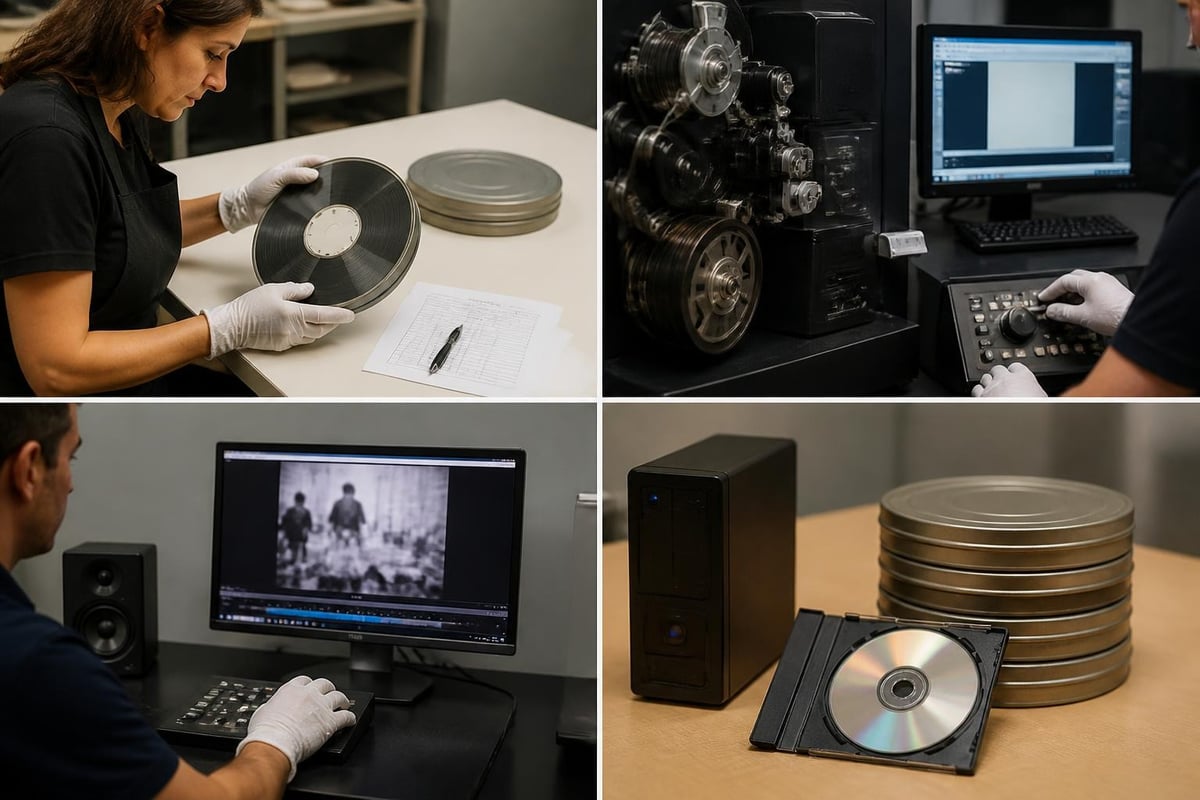
The machine to transfer VHS to DVD may serve as an intermediate step in comprehensive preservation workflows. The IASA Guidelines for the Preservation of Video Recordings recommend creating uncompressed or mathematically lossless preservation masters before generating compressed access copies.
Recommended preservation formats:
- FFV1 (lossless compression) in Matroska container
- Uncompressed 10-bit 4:2:2 in MXF or MOV wrapper
- JPEG2000 lossless with appropriate metadata embedding
These formats exceed DVD technical specifications but ensure maximum quality preservation for future migration projects as display technologies and codec standards evolve.
Metadata Capture and Documentation
Professional digitization workflows capture extensive technical and descriptive metadata alongside video content. The Federal Agencies Digital Guidelines Initiative provides metadata schema recommendations that support long-term preservation and discovery.
Essential metadata elements:
- Source tape identification and format details
- Playback equipment models and serial numbers
- Capture settings (resolution, codec, bit rate)
- Time base correction and enhancement applied
- Operator notes regarding tape condition or playback issues
- Rights and restrictions information
Metadata embedding in file headers enables automated validation and quality control processes as collections scale.
Equipment Selection for Professional Operations
Choosing the right machine to transfer VHS to DVD requires matching technical capabilities to operational requirements and budget constraints.
Evaluating Professional VCR Decks
Professional VHS decks from manufacturers including JVC, Sony, and Panasonic offer distinct advantages over consumer equipment:
Key differentiators:
- Replaceable video heads with documented replacement procedures
- Service manuals and parts availability
- Multiple video output options (composite, S-Video, component)
- Built-in time base correction on many models
- Robust mechanical construction for extended operational life
The JVC SR-VS30U S-VHS deck exemplifies professional features including S-VHS playback capability, multi-format compatibility, and service-friendly design. Units designed for broadcast or institutional use typically accumulate tens of thousands of operational hours with proper maintenance.
Capture Card Requirements
Professional capture cards transform analog video signals into digital files with minimal quality loss. Consider these specifications:
| Specification | Minimum Requirement | Professional Standard |
|---|---|---|
| Video Inputs | Composite, S-Video | Component, SDI |
| Resolution Support | 720×480 | Up to 1920×1080 |
| Color Sampling | 4:2:0 | 4:2:2 or higher |
| Bit Depth | 8-bit | 10-bit |
| Software Compatibility | Windows only | Cross-platform |
Blackmagic Design, AJA Video Systems, and Matrox manufacture capture cards serving professional digitization markets. Driver stability and manufacturer support significantly impact operational efficiency in high-volume environments.
Building Redundancy and Business Continuity
Digitization operations depend on functional equipment to meet client deadlines and maintain revenue flow. Equipment failures create immediate operational and financial impacts.
Equipment Backup Strategies
Professional facilities implement multiple redundancy approaches:
- Hot spares: Maintain calibrated backup decks ready for immediate deployment
- Cross-format capability: Deploy decks supporting multiple formats to maximize flexibility
- Rental relationships: Establish vendor relationships for rapid equipment access during failures
VCR Supply's rental services provide access to professional decks including MiniDV, Digital8, and Betamax formats starting at $99 monthly, enabling cost-effective capacity expansion without capital investment.
Preventive Maintenance Programs
Regular maintenance intervals prevent catastrophic failures and extend equipment operational life:
- Daily: Head cleaning, tape path inspection
- Weekly: Tracking calibration check, capstan cleaning
- Monthly: Full mechanical inspection, tension adjustment
- Quarterly: Professional service evaluation, parts replacement
Professional repair services with diagnostic fees starting at $45 identify developing issues before complete failure occurs. Established maintenance schedules reduce emergency repair costs and client project delays.
Scaling Operations and Workflow Optimization
As digitization volume increases, workflow efficiency directly impacts profitability and client satisfaction.
Batch Processing Strategies
Organizing projects by tape format, duration, and complexity enables efficient equipment utilization:
- Format grouping: Process all S-VHS tapes consecutively to minimize deck changes
- Duration batching: Group similar-length tapes for predictable scheduling
- Quality tiering: Separate archival-quality projects from basic transfers
Standardized quality tiers with documented capture parameters enable accurate quoting and consistent client expectations. The SCART digitizing video RFP guide provides framework examples for multi-tier service offerings.
Quality Assurance Protocols
Systematic QA processes catch errors before client delivery:
- Automated checks: Verify file integrity, duration accuracy, format compliance
- Sample review: Inspect representative segments for technical issues
- Client preview: Provide sample clips for approval before full batch processing
- Documentation: Maintain transfer logs with technical notes for future reference
Automated quality control tools reduce labor costs while maintaining consistent standards. Many facilities integrate FFmpeg validation scripts to verify captured files against technical specifications.
Cost Analysis and ROI Considerations
Understanding total cost of ownership for a machine to transfer VHS to DVD informs pricing strategies and equipment investment decisions.
Direct Equipment Costs
| Cost Category | Consumer Approach | Professional System |
|---|---|---|
| Initial Hardware | $200–$500 | $3,000–$8,000 |
| Annual Maintenance | Minimal | $500–$1,500 |
| Expected Lifespan | 2–3 years | 8–15 years |
| Tapes Per Hour | 1 (real-time only) | 1–2 (with monitoring) |
| Failure Replacement | Full unit | Individual components |
Professional equipment delivers lower per-tape costs across operational lifespans despite higher initial investment. Component-based systems enable selective replacement rather than complete unit disposal upon failure.
Labor and Overhead Allocation
Labor represents the largest ongoing cost in digitization operations:
- Tape assessment and preparation: 5–15 minutes per tape
- Active monitoring during capture: Varies by quality requirements
- Post-capture QA and file handling: 10–20 minutes per tape
- DVD authoring and duplication: 15–30 minutes per project
Workflow automation through batch capture software and automated QA scripts reduces labor allocation per tape. The Association of Moving Image Archivists provides industry benchmarking data for comparing operational efficiency metrics.
Selecting and operating the right machine to transfer VHS to DVD requires balancing technical quality requirements, operational efficiency, and budget constraints. Professional digitization operations benefit from component-based systems, standardized workflows, and preventive maintenance programs that ensure consistent results across thousands of tapes. Whether you're launching a new digitization service or scaling existing capacity, VCR Supply provides rental and repair services for professional videotape decks with rental rates starting at $99 monthly and diagnostic services beginning at $45, helping you maintain equipment uptime and meet client commitments without large capital investments.