Digital8 Tape: Professional Guide for Digitization Shops
The digital8 tape format occupies a unique position in consumer video history, bridging analog 8mm heritage with digital DV recording technology. Introduced by Sony in 1999, this format allowed consumers to record high-quality DV video onto affordable Hi8 and Video8 cassettes. For digitization shops in 2026, understanding digital8 tape specifications, playback compatibility, and transfer workflows remains essential as clients continue to bring in these tapes for preservation. This format presents both opportunities and challenges, requiring specific equipment knowledge and careful handling to ensure successful transfers.
Understanding Digital8 Tape Technology
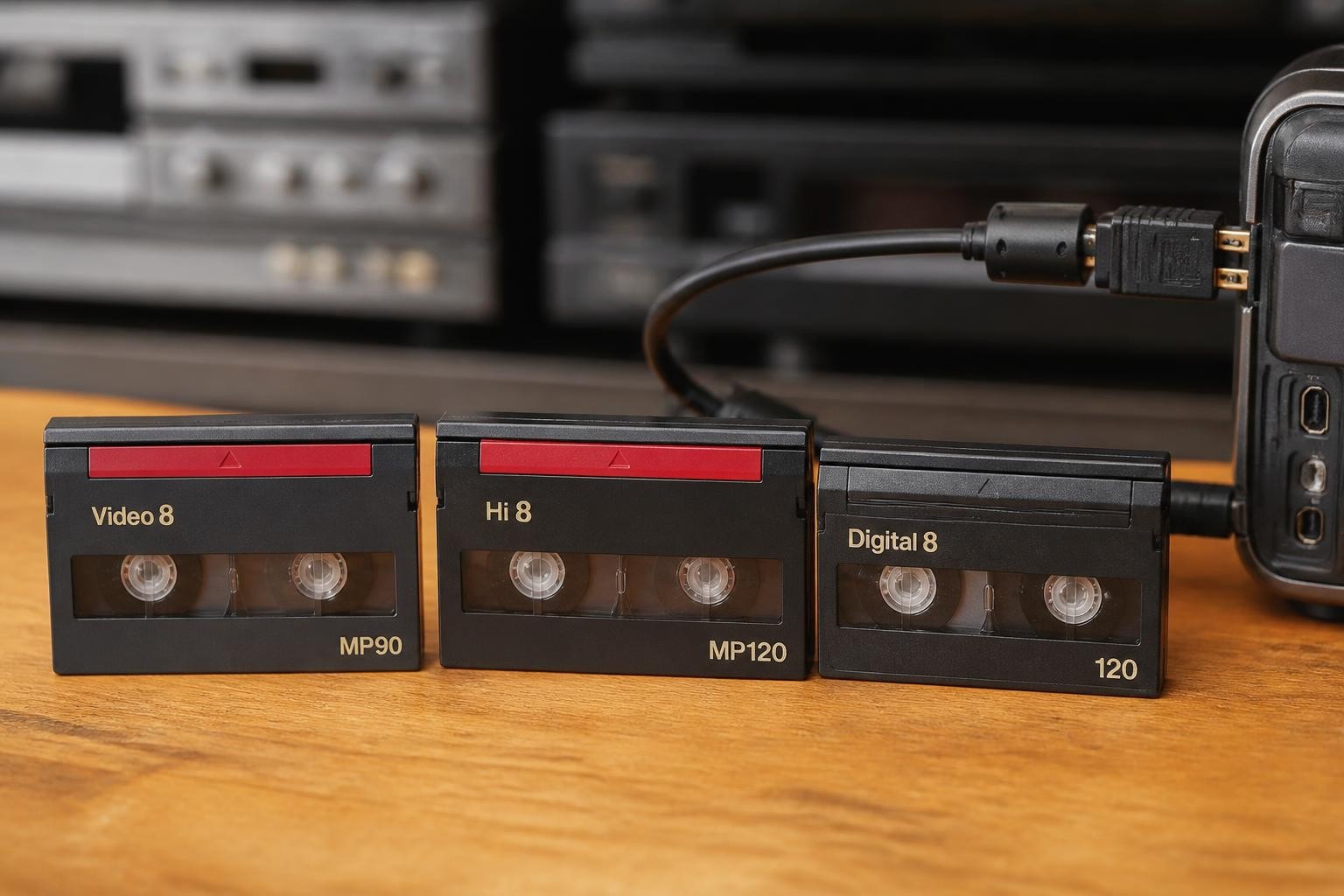
Digital8 represents Sony's strategic approach to the consumer camcorder market in the late 1990s. Rather than creating an entirely new cassette format, Sony engineered Digital8 to record DV-standard video onto existing 8mm cassettes, specifically Hi8 and Video8 shells. This decision made Digital8 camcorders more affordable than MiniDV alternatives while maintaining identical video quality.
The recording mechanism uses the same DV codec found in MiniDV formats, compressing video at 25 Mbps with 4:1:1 color sampling. The key difference lies in the tape speed and physical cassette. Digital8 runs tape at approximately double the speed of Hi8, meaning a 120-minute Hi8 cassette yields only 60 minutes of Digital8 recording time. This faster tape speed accommodates the higher data rate required for digital recording.
Cassette Compatibility and Recording Options
Digital8 camcorders accept three cassette types with varying capabilities:
- Hi8 Metal Particle (MP) tapes - Optimal recording performance, recommended by manufacturers
- Hi8 Metal Evaporated (ME) tapes - Premium option, excellent results for Digital8 recording
- Video8 formulations - Compatible but not recommended for initial Digital8 recording
- Standard Hi8 cassettes - Most commonly used substrate for Digital8 content
The Sony Japan technical specifications detail the exact compatibility matrix across different Sony Digital8 models. Understanding which tapes were actually used for recording helps digitization shops anticipate playback challenges and quality variations.
Digital8 Playback Compatibility Matrix
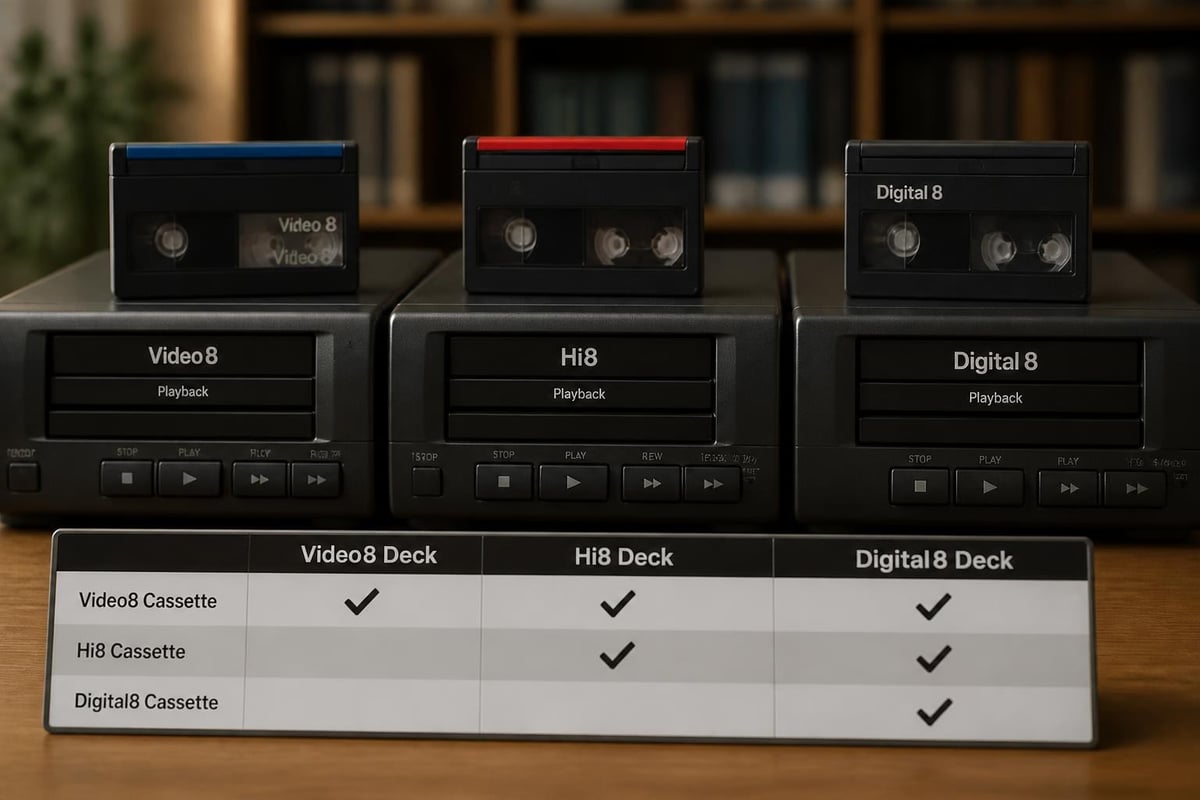
One of digital8 tape's most valuable features for digitization professionals is its backward compatibility. Most Digital8 camcorders and decks can play back analog Video8 and Hi8 recordings, making them versatile tools for shops handling multiple 8mm format generations.
| Recording Format | Digital8 Deck Playback | Output Signal Type | Transfer Method |
|---|---|---|---|
| Digital8 (DV) | Native digital | DV via FireWire | Direct digital capture |
| Hi8 analog | Analog playback | Composite/S-Video | Analog capture required |
| Video8 analog | Analog playback | Composite/S-Video | Analog capture required |
| LP mode Digital8 | Native digital (if supported) | DV via FireWire | Direct digital capture |
This compatibility makes Digital8 decks particularly valuable for shops processing customer collections that span multiple 8mm format generations. A single Digital8 deck can handle tapes recorded across fifteen years of consumer video history, from mid-1980s Video8 through early 2000s Digital8.
Professional vs Consumer Digital8 Equipment
Sony manufactured both consumer camcorders and semi-professional decks for Digital8. The Sony GV-D200 represents a popular walkman-style player/recorder that many digitization shops rely on in 2026. These units offer both FireWire digital output and analog connections, providing flexibility for different transfer scenarios.
Professional shops should understand the limitations of consumer-grade Digital8 equipment:
- Head drum wear accelerates with heavy use, unlike professional broadcast decks
- Transport mechanisms weren't designed for continuous daily operation
- Analog playback circuits vary significantly in quality across models
- FireWire implementation occasionally exhibits compatibility issues with modern capture interfaces
Despite these limitations, Digital8 equipment remains functional and relevant for digitization work. Many shops maintain multiple units to ensure continuity when one requires servicing.
Digitization Workflows for Digital8 Content
Transferring digital8 tape content requires different approaches depending on the recording format. The distinction between Digital8 DV recordings and analog Hi8/Video8 recordings fundamentally changes the capture workflow and final file quality.
FireWire DV Capture Workflow
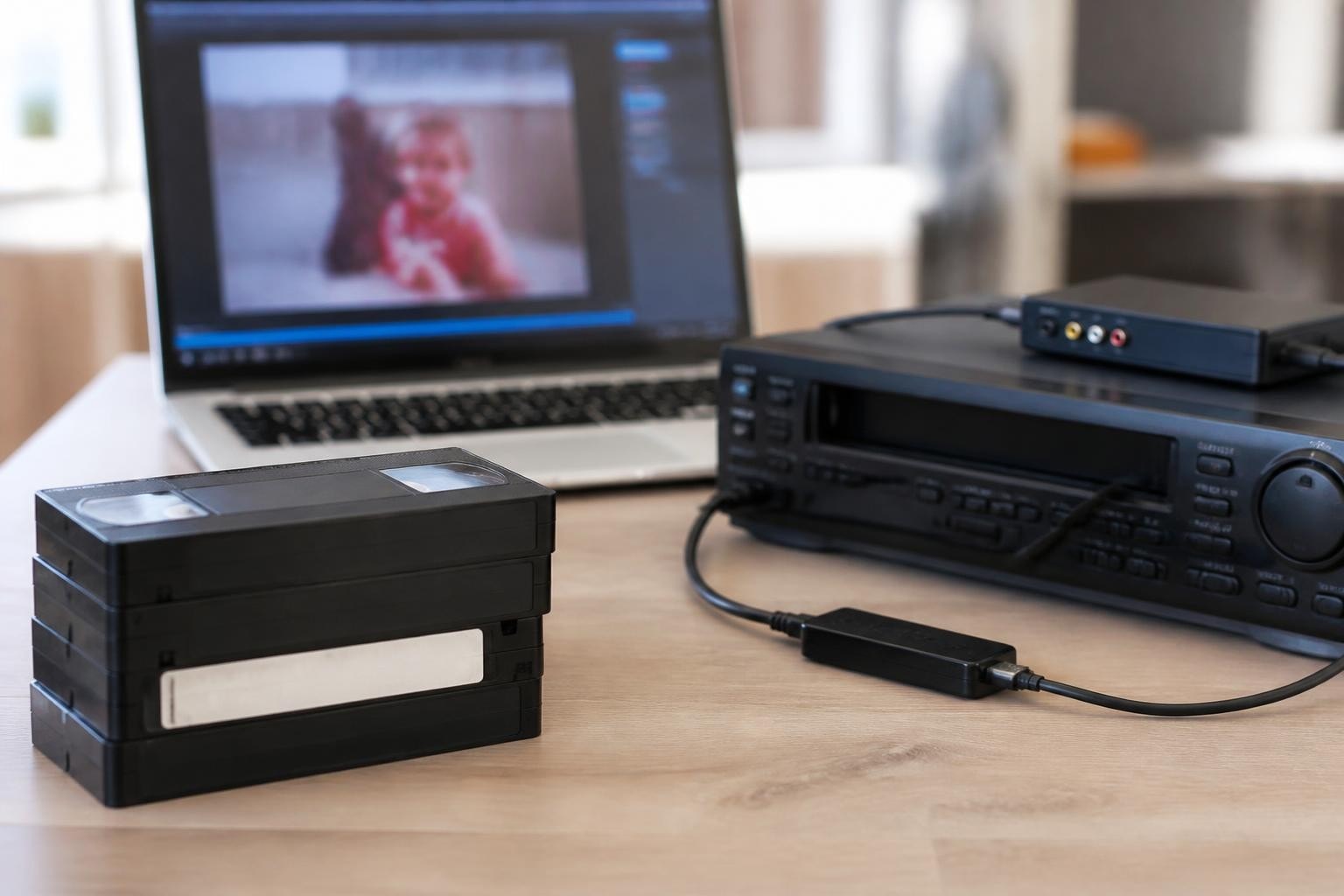
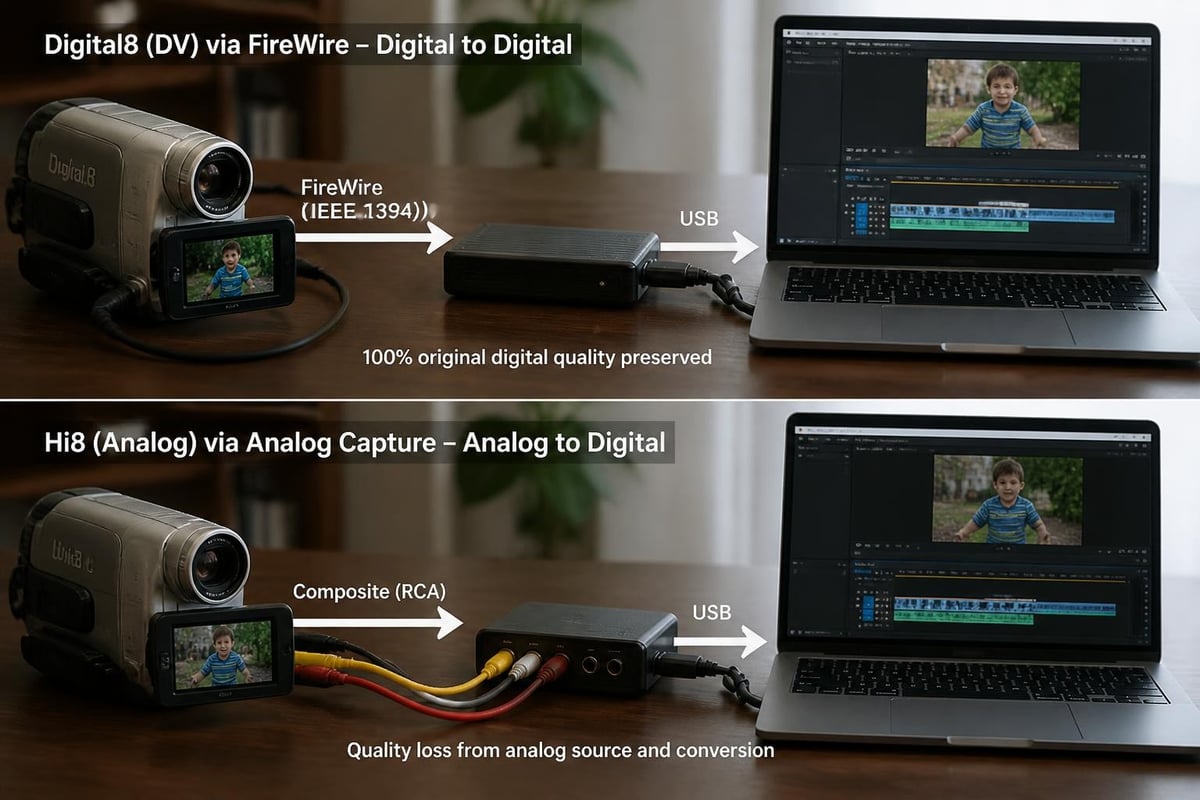
For tapes recorded in Digital8 format, FireWire (IEEE 1394) capture provides bit-perfect digital transfer. This method preserves the original DV stream without generational loss or quality degradation. The workflow follows these essential steps:
- Connect Digital8 deck FireWire output to capture interface or computer FireWire port
- Launch DV capture software configured for DV format (720×480 NTSC or 720×576 PAL)
- Verify timecode continuity and capture settings before starting transfer
- Monitor capture for dropped frames or connection interruptions
- Export captured DV files to archival format or client-specified deliverable
Comparing Digital8 vs Hi8 transfer approaches reveals why proper format identification matters. Digital8 recordings transferred via FireWire maintain full DV quality, while Hi8 analog content requires analog-to-digital conversion with inevitable quality considerations.
Analog Content on Digital8 Cassettes
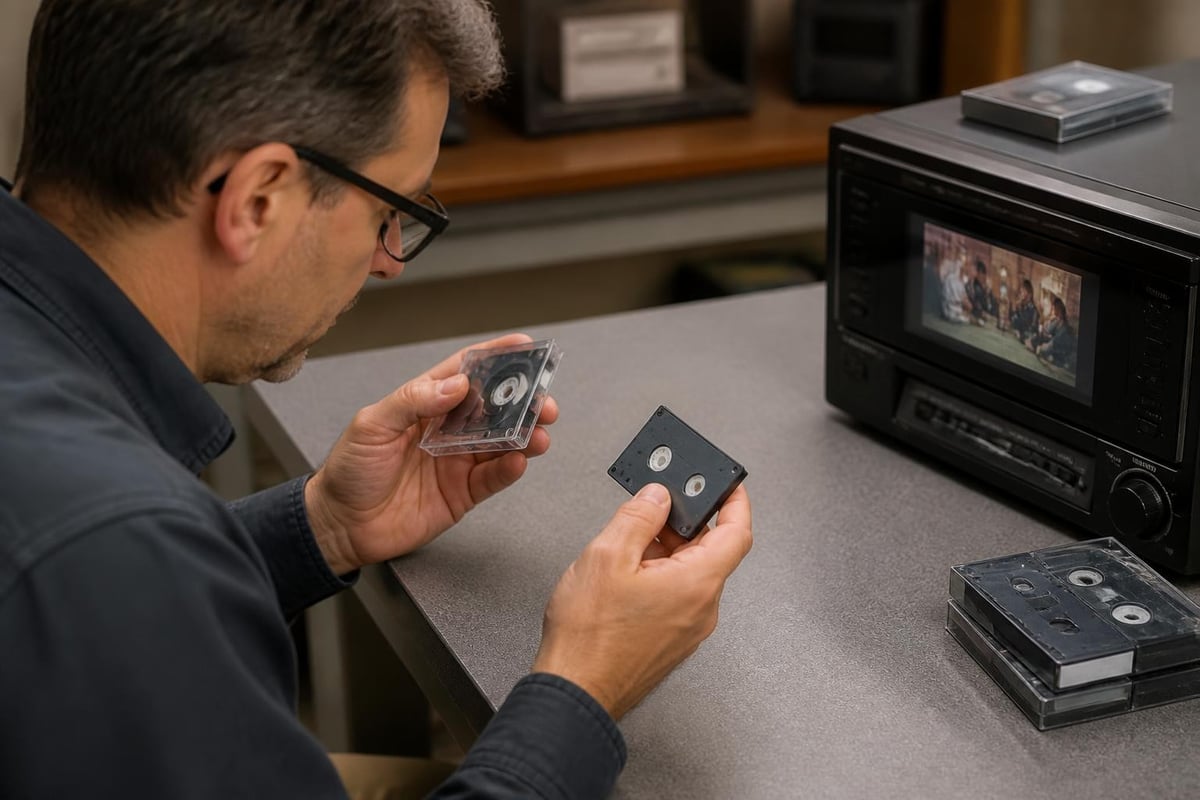
Many customers bring Hi8 tapes to digitization shops, uncertain whether the content is analog Hi8 or Digital8 format. Visual inspection cannot determine recording format since both use identical cassette shells. Testing playback on a Digital8 deck quickly reveals the recording type.
When playing analog Hi8 content on a Digital8 deck, the output must be captured through analog connections (composite or S-Video). This process mirrors standard Hi8 format digitization workflows. The quality ceiling is determined by the original analog recording, not the Digital8 deck's capabilities.
Equipment Maintenance and Reliability Considerations
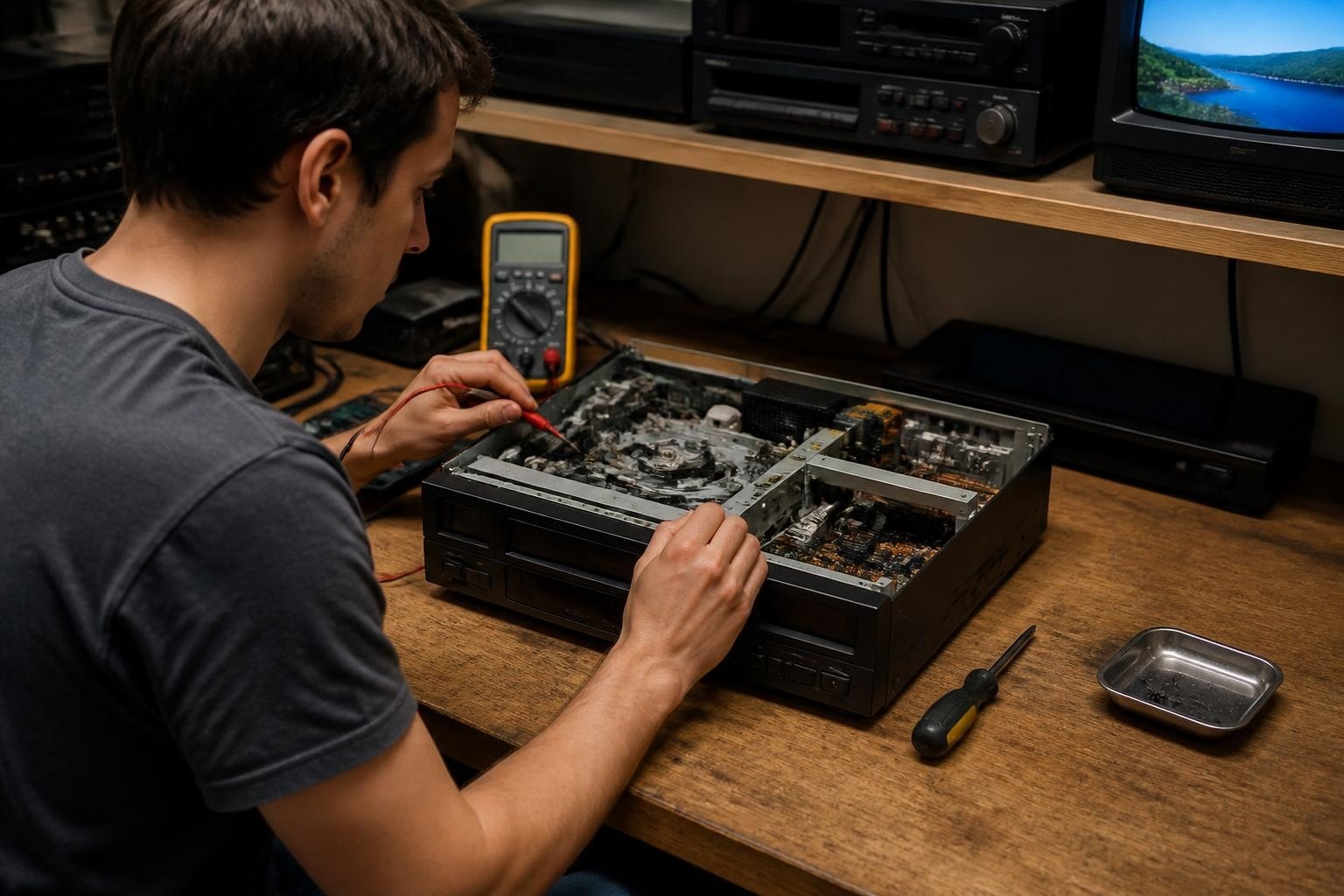
Digital8 decks in 2026 face the same aging challenges affecting all magnetic tape equipment. These consumer-oriented devices were manufactured between 1999 and 2007, making even the newest units nearly two decades old. Digitization shops must implement proactive maintenance to ensure reliable operation.
Common Digital8 Deck Failure Modes
Understanding typical failure patterns helps shops budget for repairs and maintain backup equipment. Digital8 decks commonly experience these issues:
- Belt degradation causing transport inconsistency or complete failure
- Head drum contamination producing dropout patterns or tracking errors
- Capacitor aging leading to power supply instability or logic failures
- Mechanism lubrication breakdown causing increased friction and wear
- FireWire port failures preventing digital capture functionality
Regular VCR maintenance programs significantly extend Digital8 equipment lifespan. Shops processing high tape volumes should establish cleaning schedules, transport mechanism inspections, and preventive component replacement intervals.
Sourcing Replacement Equipment
The Digital8 equipment market in 2026 relies entirely on used units. Sony discontinued Digital8 camcorder production over fifteen years ago, and remaining inventory consists of consumer-used devices with unknown service histories. Digitization shops face several sourcing challenges:
| Equipment Type | Availability | Typical Condition | Cost Range |
|---|---|---|---|
| Sony GV-D200 Video Walkman | Moderate | Variable, 20+ years old | $150-400 |
| Digital8 camcorders (various) | Good | Often worn, untested | $50-200 |
| Replacement belts/parts | Limited | New old stock or aftermarket | $10-50 |
| Professional servicing | Rare | Few techs remain qualified | $100-300 |
For shops without in-house repair capabilities, establishing a relationship with specialists offering VCR repair services becomes critical for business continuity. Equipment failure during client projects creates unacceptable delays and revenue loss.
Tape Condition Assessment and Handling
Digital8 tape preservation faces the same magnetic media deterioration challenges affecting all videotape formats. The National Archives video condition assessment guidance provides systematic approaches to evaluating tape collections before digitization attempts.
When clients present digital8 tape collections for transfer, visual and environmental history assessment helps predict playback success and appropriate handling procedures. Key assessment factors include:
- Storage environment history - Temperature and humidity exposure over 15-25 years
- Cassette shell condition - Cracks, warping, or broken components
- Previous playback history - Evidence of damage from malfunctioning equipment
- Visible tape condition - Edge damage, oxide shedding, or dimensional stability issues
The National Archives machine-readable media guidance offers practical storage recommendations that shops can share with clients seeking to preserve undigitized tapes. Proper storage significantly extends the viable transfer window for aged magnetic media.
Binder Hydrolysis and Environmental Degradation
Digital8 tapes manufactured in the late 1990s and early 2000s use polyester-backed tape with magnetic oxide bound by polymer adhesives. These binders can undergo hydrolysis in humid conditions, causing the magnetic layer to become sticky or shed particles. This deterioration affects playback quality and threatens both the tape and deck head assemblies.
Signs of binder degradation include:
- Squealing sounds during playback indicating increased tape-to-head friction
- Residue buildup on deck transport components and head drum
- Dropout patterns where magnetic material has separated from backing
- Tape pack deformation creating uneven wind tension
Shops encountering degraded digital8 tape may need specialized restoration approaches. The Image Permanence Institute conducts leading research on media stability and deterioration mechanisms, providing scientific context for preservation decisions.
Format Context: Digital8 vs Contemporary Alternatives
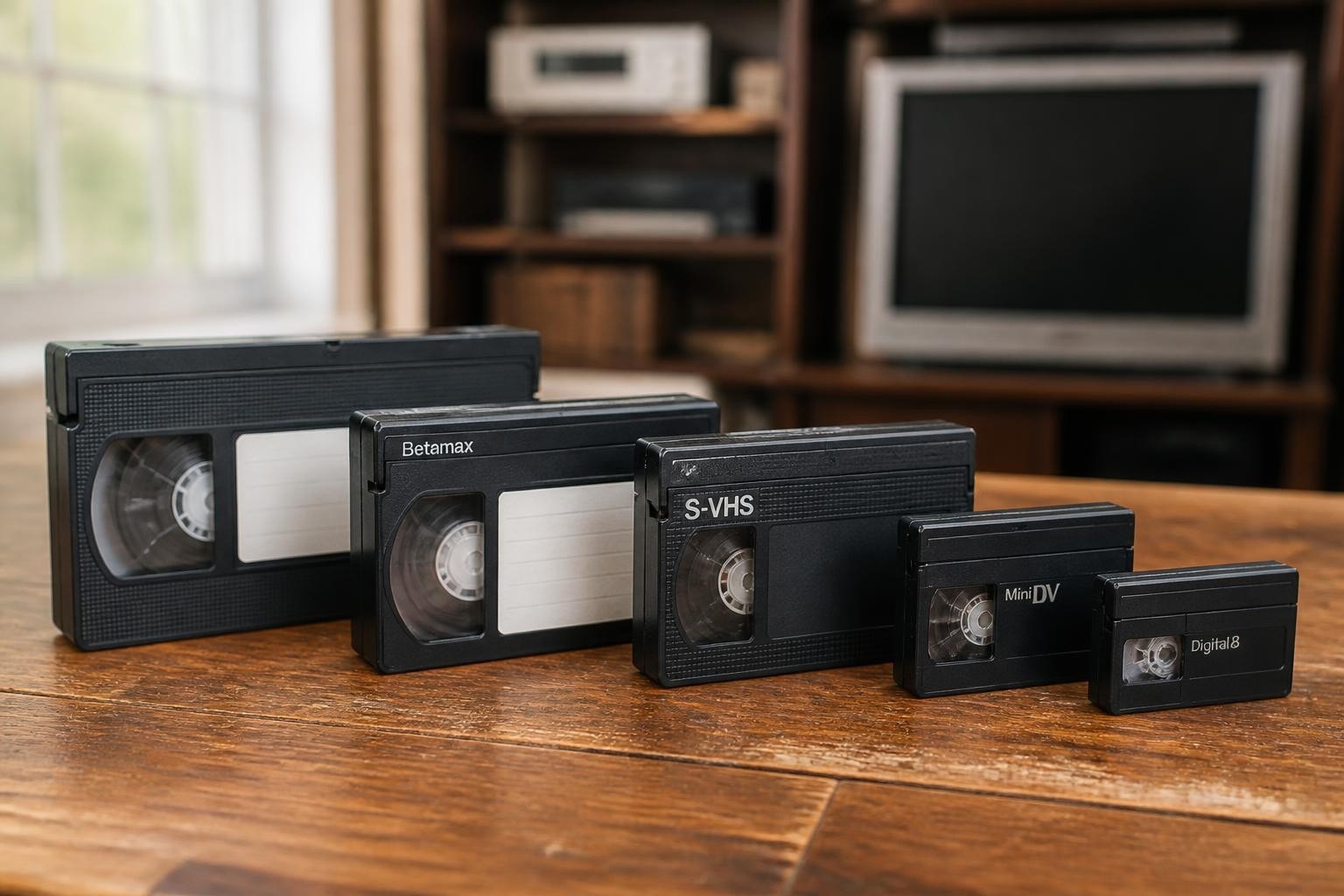
Understanding where digital8 tape fits within late-1990s consumer video technology helps digitization shops contextualize client collections and equipment investment decisions. Digital8 competed directly with MiniDV while offering backward compatibility advantages that MiniDV lacked.
Market Positioning and Consumer Adoption
Sony positioned Digital8 as an affordable entry into DV-quality recording for consumers already invested in the 8mm cassette ecosystem. Families with existing Hi8 cassette stockpiles could purchase Digital8 camcorders and continue using their tape inventory, albeit at reduced recording time. This strategy appealed to price-conscious consumers but created format confusion that persists in digitization requests today.
The practical comparison between Hi8 and MiniDV illustrates why Digital8 occupies middle ground in the format landscape. It delivered MiniDV's DV codec quality using Hi8's familiar cassette form factor, creating a hybrid format that served specific market segments well.
Key differentiation factors include:
- Cassette cost - Hi8 tapes remained cheaper than MiniDV throughout format lifespans
- Camcorder size - Digital8 camcorders were slightly larger than MiniDV equivalents
- Recording time - MiniDV offered longer recording per cassette at same quality
- Professional adoption - MiniDV gained broadcast acceptance, Digital8 remained consumer-only
For digitization shops, this history explains why Digital8 collections tend to contain family events, vacations, and personal documentation rather than professional or broadcast content.
Technical Specifications and Recording Parameters
Professional digitization work requires precise understanding of digital8 tape technical specifications to ensure proper capture settings and quality assurance. The format's DV foundation establishes clear parameters that differ from analog Hi8 recording.
Video Recording Specifications
| Parameter | Digital8 (NTSC) | Digital8 (PAL) | Notes |
|---|---|---|---|
| Video compression | DV codec | DV codec | Identical to MiniDV |
| Data rate | 25 Mbps | 25 Mbps | Video + audio combined |
| Resolution | 720×480 | 720×576 | Standard definition |
| Color sampling | 4:1:1 | 4:2:0 | NTSC vs PAL difference |
| Frame rate | 29.97i fps | 25i fps | Interlaced scanning |
| Audio | 16-bit 48kHz stereo or 12-bit 32kHz 4-channel | Same | Switchable on most models |
These specifications match MiniDV exactly, confirming that Digital8 recordings transferred via FireWire are indistinguishable in quality from MiniDV source material. The cassette format becomes irrelevant once the DV bitstream enters the digital domain.
Tape Speed and Recording Time
The relationship between tape speed and recording time creates practical implications for digitization workflows. Digital8's faster tape speed compared to analog Hi8 means:
- Standard 120-minute Hi8 cassette = 60 minutes Digital8 recording
- 90-minute Hi8 cassette = 45 minutes Digital8 recording
- 60-minute Hi8 cassette = 30 minutes Digital8 recording
Long-play (LP) mode on some Digital8 camcorders extends recording time by 50% but uses thinner track width, increasing dropout vulnerability and compatibility issues. Professional digitization shops should note LP mode usage during intake assessment, as some decks struggle with LP playback.
Rental and Service Solutions for Digitization Shops
Operating a profitable digitization business in 2026 requires strategic equipment management. Digital8 deck acquisition, maintenance, and backup planning directly impact service capability and customer satisfaction. Shops must balance equipment investment against actual Digital8 project volume.
For businesses experiencing variable Digital8 demand, Digital8 deck rental offers flexible capacity without capital investment in aging equipment. Starting at $99 per month, rental arrangements provide access to serviced, reliable units that can scale with business needs.
Build vs Buy vs Rent Decision Framework
Shops should evaluate Digital8 equipment strategies based on several operational factors:
- Monthly Digital8 tape volume - High volume justifies ownership, low volume favors rental
- Technical repair capability - In-house repair enables ownership, otherwise rental reduces downtime
- Capital availability - Used equipment purchases require upfront investment vs rental OpEx
- Format trajectory - Declining Digital8 requests suggest rental over purchasing
Many digitization shops maintain one owned Digital8 deck for routine work while keeping rental relationships available for capacity surges or equipment failure backup. This hybrid approach balances efficiency with risk management.
The Library of Congress Recommended Formats Statement provides guidance on prioritizing media formats for preservation. While Digital8 doesn't qualify as a preferred archival format, understanding institutional preservation standards helps shops advise clients on appropriate deliverable specifications and long-term storage strategies.
Advanced Considerations for Digital8 Processing
Beyond basic playback and capture, professional digitization shops encounter specialized scenarios requiring deeper Digital8 knowledge. These advanced situations separate capable service providers from basic operators.
Multi-Generation Recordings and Format Mixing
Some Digital8 tapes contain multiple recording sessions across different dates, sometimes mixing LP and SP modes or even switching between Digital8 and Hi8 analog recording modes on the same cassette. This occurs when users recorded over previous content or used camcorders in different modes.
Identifying these transitions during playback prevents capture errors and ensures complete content preservation. Visual monitoring during transfer reveals format switches through:
- Abrupt quality changes indicating analog-to-digital transitions
- Timecode discontinuities marking recording session boundaries
- Tracking errors at format transition points
- Audio characteristics shifting between 12-bit and 16-bit modes
Professional workflow documentation should note these transitions for client records and quality assurance purposes.
Restoration and Enhancement Options
After successful digital8 tape capture, clients often request enhancement or restoration services. The research on digitized analog videotape restoration demonstrates modern algorithmic approaches to improving transferred content quality. While Digital8 DV recordings contain less noise than analog formats, captured content benefits from:
- Deinterlacing for modern progressive display compatibility
- Color correction addressing camcorder white balance errors
- Stabilization compensating for camera shake
- Audio noise reduction for improved dialog clarity
Shops offering comprehensive services should understand which enhancements suit Digital8 source material versus analog Hi8 content played on Digital8 decks. The source recording format determines appropriate post-processing approaches.
Business Operations and Client Communication
Successful Digital8 tape digitization requires clear client communication about format identification, expected quality, and timeline considerations. Many customers cannot distinguish between Video8, Hi8, and Digital8 cassettes by appearance alone.
Intake Process Best Practices
Establishing systematic intake procedures prevents misunderstandings and sets appropriate client expectations:
- Visual cassette inspection - Document shell condition and label information
- Format identification testing - Play short segment to confirm recording format
- Condition assessment - Note any playback issues, degradation signs, or special handling needs
- Timeline communication - Explain realistic turnaround based on current equipment status
- Quality expectation setting - Clarify differences between Digital8 DV and analog Hi8 captures
Transparent communication about equipment limitations, potential playback issues, and quality variations builds client trust and reduces disputes. Digital8 tape processing sometimes reveals unexpected content or recording format mixtures that require project scope adjustment.
Pricing Considerations for Digital8 Projects
Digital8 pricing should reflect both the recording format and actual content duration. Since cassettes may contain either Digital8 DV or analog Hi8 content, pricing structures need flexibility:
- Digital8 DV content - FireWire capture workflow, premium pricing for quality preservation
- Hi8 analog content - Analog capture workflow, standard analog tape pricing
- Mixed format tapes - Blended pricing or per-minute rates covering both workflows
- Condition surcharges - Additional fees for degraded tapes requiring special handling
Transparent pricing structures that explain these distinctions help clients understand value and justify service costs. Educational content during intake builds confidence in your technical expertise.
Digital8 tape represents a unique convergence of analog cassette heritage and digital recording quality that continues to require specialized knowledge and reliable equipment in 2026. For digitization shops managing aging tape collections, understanding format specifications, playback compatibility, and proper transfer workflows ensures successful client outcomes and efficient operations. Whether you're scaling Digital8 processing capacity, need backup equipment during peak season, or require expert repair to keep existing decks operational, VCR Supply provides rental, repair, and maintenance solutions specifically designed for professional digitization businesses starting at $99 monthly.