VHS Fix: Professional Repair Guide for Digitization Shops
VHS tapes remain one of the most common formats digitization shops encounter, despite the format's obsolescence. When playback equipment fails or tapes display problems during transfer, understanding proper vhs fix techniques becomes essential for maintaining workflow efficiency. Professional digitization operations require reliable playback equipment and the knowledge to address both tape and deck issues quickly. Whether you run a preservation lab, archival facility, or commercial digitization shop, mastering repair fundamentals protects your investment in equipment and ensures consistent output quality.
Understanding Common VHS Playback Problems
VHS format issues typically fall into three categories: tape degradation, deck malfunction, and environmental damage. Each category presents distinct symptoms that guide the diagnostic process.
Tape-Related Issues
Physical tape problems account for approximately 60% of playback failures in digitization workflows. These issues develop over time as magnetic oxide particles shed, binder deterioration occurs, and mechanical stress accumulates.
Common tape defects include:
- Magnetic layer shedding creating dropout patterns
- Binder hydrolysis producing sticky residue
- Edge damage from improper winding tension
- Broken or stretched tape sections
- Mold growth on tape surface
Tape condition assessment begins with visual inspection before loading into any deck. White powder residue, visible mold, or warped cassette shells indicate immediate intervention requirements. Professional digitization workflows for VHS tapes recommend documentation of all visible defects before attempting playback.
VCR Deck Malfunctions
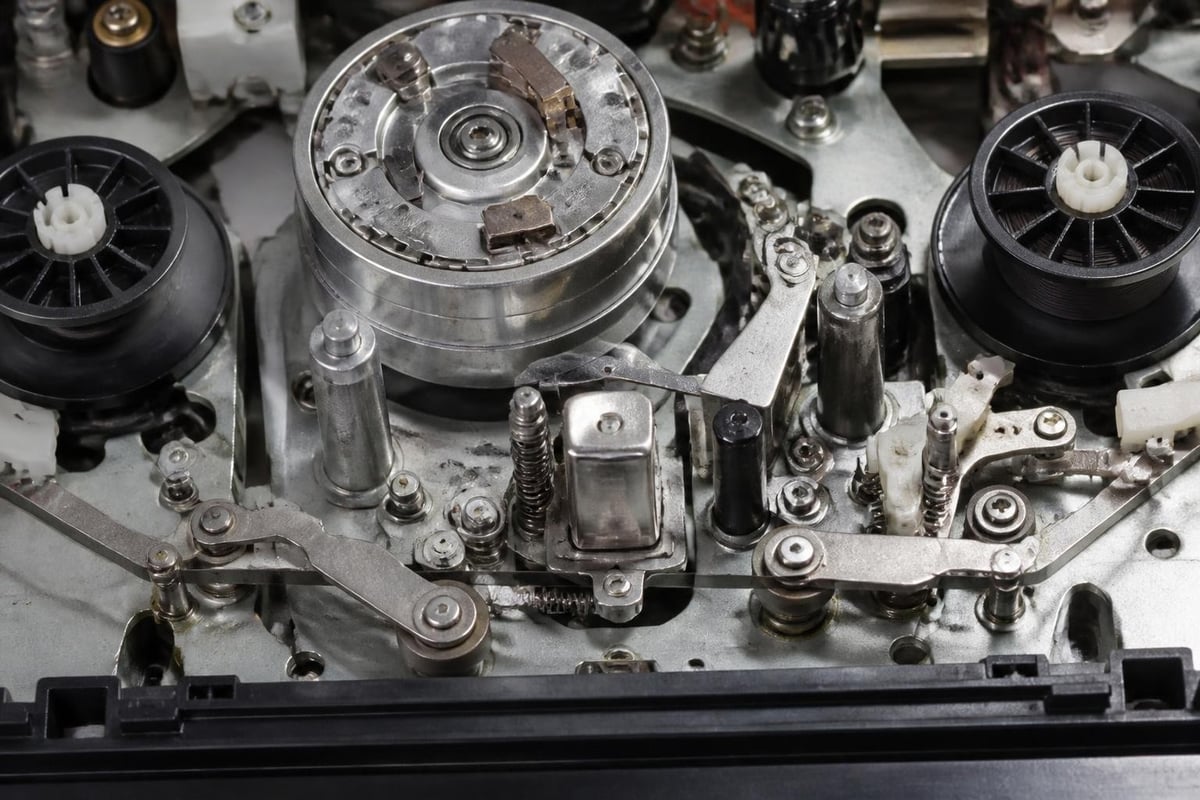
Deck failures present differently than tape issues. Mechanical wear, electronic component aging, and accumulated debris create predictable failure patterns.
| Symptom | Likely Cause | Repair Complexity |
|---|---|---|
| No threading | Belt failure or mechanism jam | Moderate |
| Poor tracking | Dirty video heads or servo issue | Low to Moderate |
| Audio distortion | Audio head wear or bias circuit | Moderate |
| Intermittent playback | Capacitor failure or sensor fault | High |
| No color | Chroma circuit or head alignment | High |
Professional S-VHS deck equipment requires specialized knowledge for repair, as higher-resolution formats demand tighter tolerances. Standard VHS decks share many components but forgive minor alignment deviations that would cause visible artifacts on S-VHS playback.
Diagnostic Procedures for VHS Fix Operations
Systematic diagnosis separates tape problems from deck problems, preventing unnecessary repairs and protecting fragile media. Professional digitization operations should establish standardized testing protocols.
Initial Assessment Steps
Begin every vhs fix procedure with a known-good reference tape. Commercial prerecorded tapes work well because they typically survived storage better than home recordings. Play the reference tape for 30 seconds, observing video quality, audio clarity, and mechanical operation.
Create a diagnostic checklist:
- Load reference tape and observe threading action
- Monitor video output for stability and clarity
- Check audio channels for balance and distortion
- Verify tracking control functionality
- Test fast-forward and rewind speeds
- Inspect tape path after ejection
If the reference tape plays correctly, the problem likely resides in the customer tape itself. If the reference tape shows issues, deck repair becomes necessary before processing client media.
Video Head Inspection and Cleaning
Video heads accumulate oxide particles, requiring regular cleaning for optimal performance. However, improper cleaning techniques cause more damage than dirt accumulation.
Professional head cleaning uses chamois swabs moistened with 99% isopropyl alcohol. Apply gentle pressure in a vertical motion only, following the head drum rotation direction. Never use cotton swabs on video heads, as fibers catch on head edges and cause microscopic damage.
For VCR repair services, establishing cleaning intervals based on operating hours prevents performance degradation. Most professional decks require cleaning every 20-40 hours of playback, though heavily degraded tapes may necessitate cleaning every 5-10 hours.
Mechanical Repairs for VHS Playback Decks
Mechanical components fail predictably in VHS equipment. Understanding common failure modes enables efficient repairs and appropriate parts stocking.
Belt Replacement Procedures
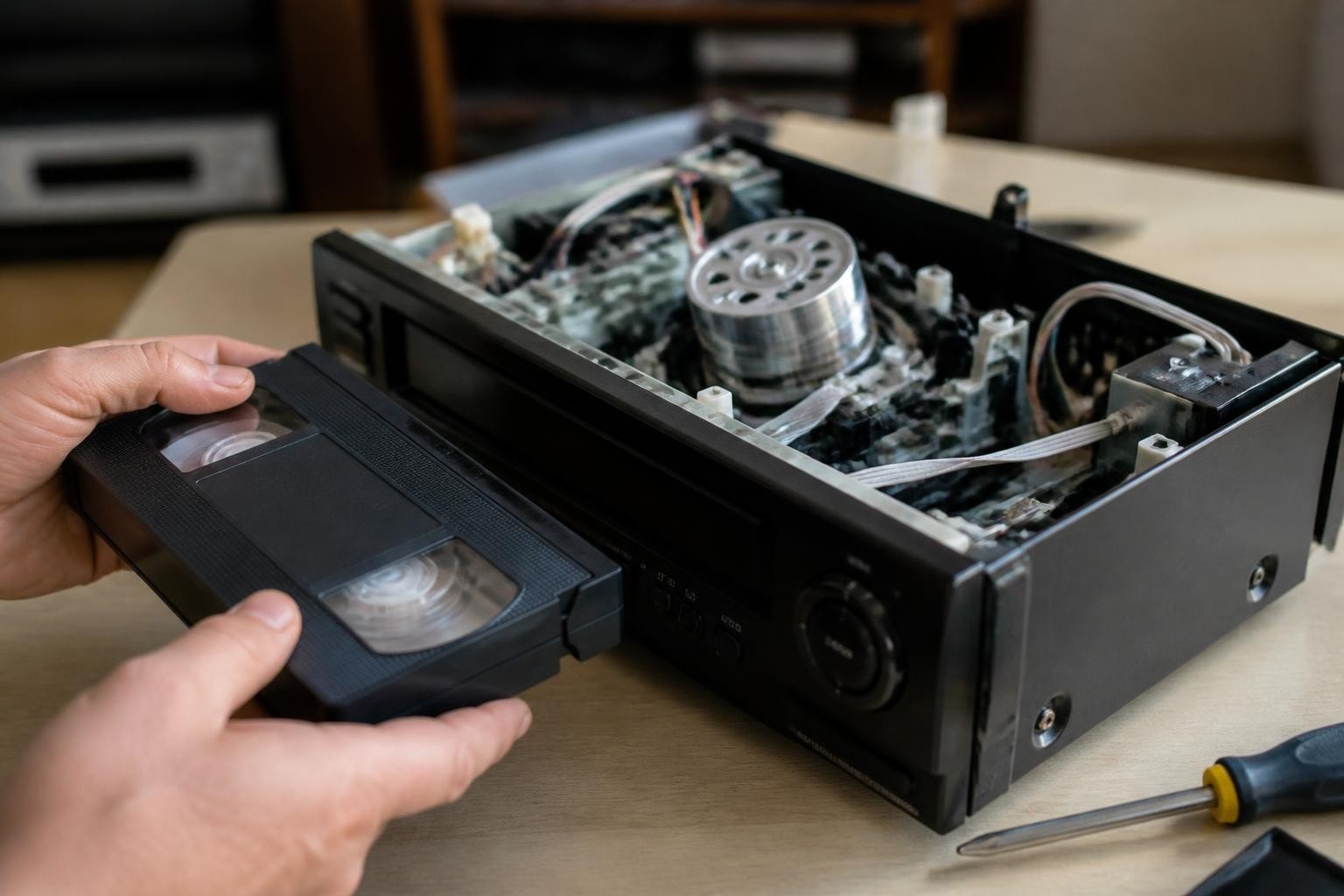
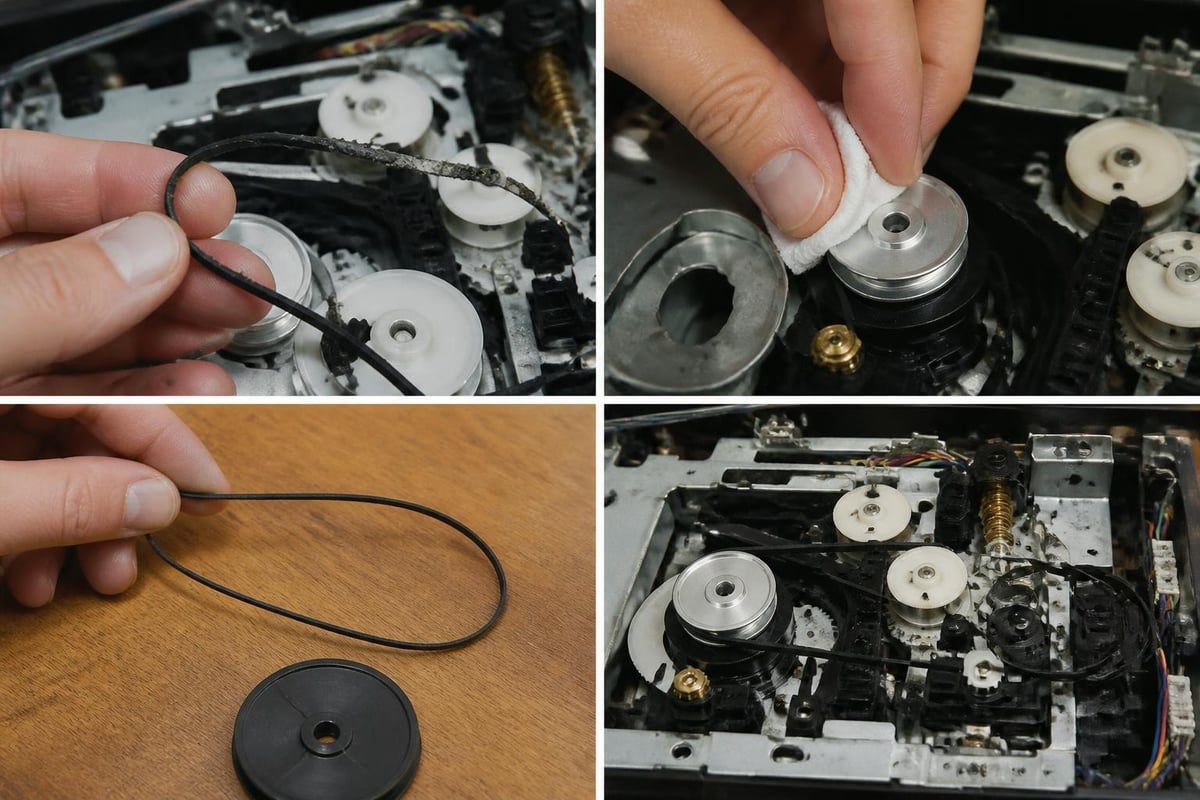
Drive belts deteriorate regardless of usage, as rubber compounds age and lose elasticity. Most VHS decks contain two to four belts controlling tape transport, loading mechanisms, and mode switching.
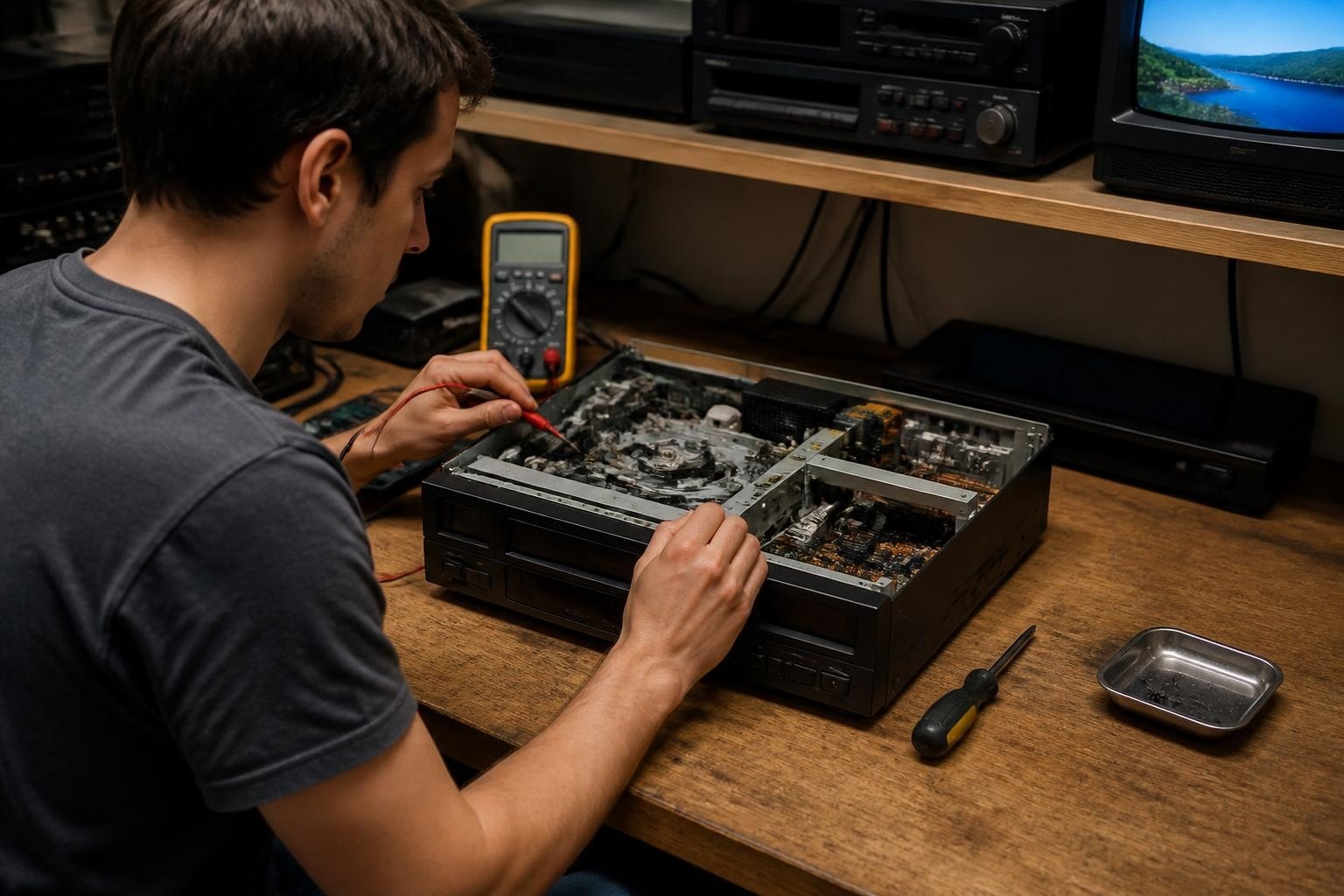
Belt replacement requires deck disassembly to access the mechanical chassis. Document belt routing with photographs before removal, as incorrect installation prevents proper operation. Measure old belts carefully, as replacement dimensions must match within 1-2mm for proper tension.
Belt replacement tools needed:
- Belt removal hooks or hemostats
- Digital calipers for measurement
- Isopropyl alcohol for pulley cleaning
- Lint-free cloths
- Replacement belts matched to deck model
After installation, verify proper tension by checking loading speed and tape transport smoothness. Over-tensioned belts cause excessive wear on motor bearings, while loose belts slip during operation.
Idler Tire and Pinch Roller Service
Rubber components contact the tape surface directly, transferring oxide deposits and degrading over time. The pinch roller presses tape against the capstan shaft, maintaining constant speed during playback.
| Component | Replacement Interval | Wear Indicators |
|---|---|---|
| Pinch roller | 500-1000 hours | Flat spots, hardening |
| Idler tires | 300-800 hours | Cracking, glazing |
| Reel belts | 2-3 years | Stretching, brittleness |
Clean all rubber components with water only. Alcohol and solvents damage rubber surfaces, accelerating deterioration. For professional operations using VCR maintenance contracts, scheduled component replacement prevents unexpected downtime during critical projects.
Tape Cleaning and Preparation Methods
Customer tapes often arrive with years of accumulated debris, requiring careful cleaning before digitization attempts. Improper cleaning damages fragile magnetic surfaces permanently.
Dry Cleaning Techniques
Dry cleaning removes loose particles without introducing moisture. Professional tape cleaning machines use soft fabric rollers rotating at controlled speeds to lift debris from tape surfaces.
Manual dry cleaning works for small quantities using lint-free cloths folded into pads. Support the tape reel on a rewinder, letting tape pass gently through the cloth pad while maintaining light, consistent pressure. This vhs fix method removes surface dust without risking moisture damage to the magnetic oxide layer.
Wet Cleaning Considerations
Severely contaminated tapes sometimes require wet cleaning using specialized solutions. However, moisture introduces risks including binder softening, oxide layer swelling, and extended drying time requirements.
The Association of Moving Image Archivists provides guidance on appropriate cleaning methods for different contamination types. Mold-contaminated tapes require HEPA-filtered workspaces to prevent spore spread, while sticky tape syndrome demands different intervention strategies.
Professional digitization shops should evaluate wet cleaning risks against the value and uniqueness of content. For commercial projects, client consultation determines whether aggressive cleaning attempts align with budget and timeline constraints.
Electronic Repairs and Adjustments
Electronic circuits control tracking servos, video signal processing, and audio reproduction. Component-level repairs require specialized knowledge and test equipment.
Tracking Servo Troubleshooting
The tracking servo maintains video head alignment with recorded tracks on tape. Poor tracking manifests as noise bands across the picture or inability to lock onto the signal.
Tracking issues stem from:
- Contaminated control track head
- Failed servo amplifier capacitors
- Worn rotary transformer contacts
- Damaged tape with control track dropouts
Control track head cleaning follows the same procedures as video heads. If cleaning doesn't restore tracking, electronic diagnosis requires oscilloscope analysis of servo error signals and reference waveforms.
Capacitor Replacement in Aging Equipment
Electrolytic capacitors age regardless of usage, developing increased internal resistance and reduced capacitance. Failed capacitors cause numerous symptoms including power supply instability, servo malfunction, and signal processing errors.
Professional VCR repair operations increasingly perform preventive capacitor replacement on decks over 15 years old. This practice, called "recapping," extends deck lifespan and prevents sudden failures during critical digitization projects.
Component-level repair requires proper desoldering techniques, correct replacement part specifications, and verification testing after installation. For shops without electronics expertise, partnering with specialized repair services provides access to these capabilities.
Format-Specific Considerations
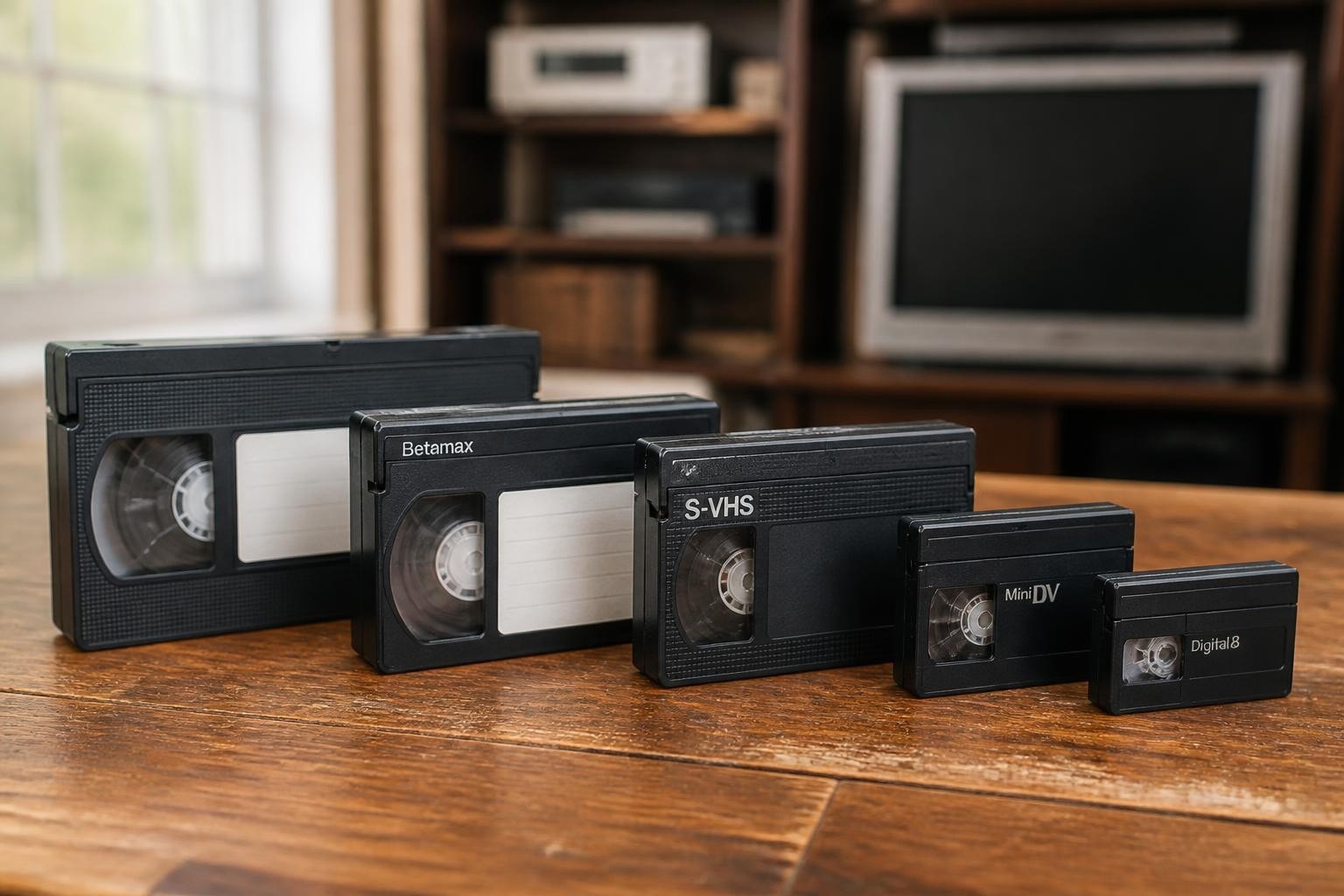
While VHS remains the most common format, professional digitization shops encounter numerous related formats requiring different vhs fix approaches.
S-VHS Special Requirements
S-VHS decks provide higher resolution through improved video circuits and precision heads. These decks demand tighter mechanical tolerances and more frequent alignment verification.
Professional S-VHS equipment uses separate luminance and chrominance recording, requiring both sets of video heads to function correctly. Standard VHS decks cannot properly reproduce S-VHS recordings, though S-VHS decks play standard VHS tapes in compatibility mode.
VHS-C Adapter Issues
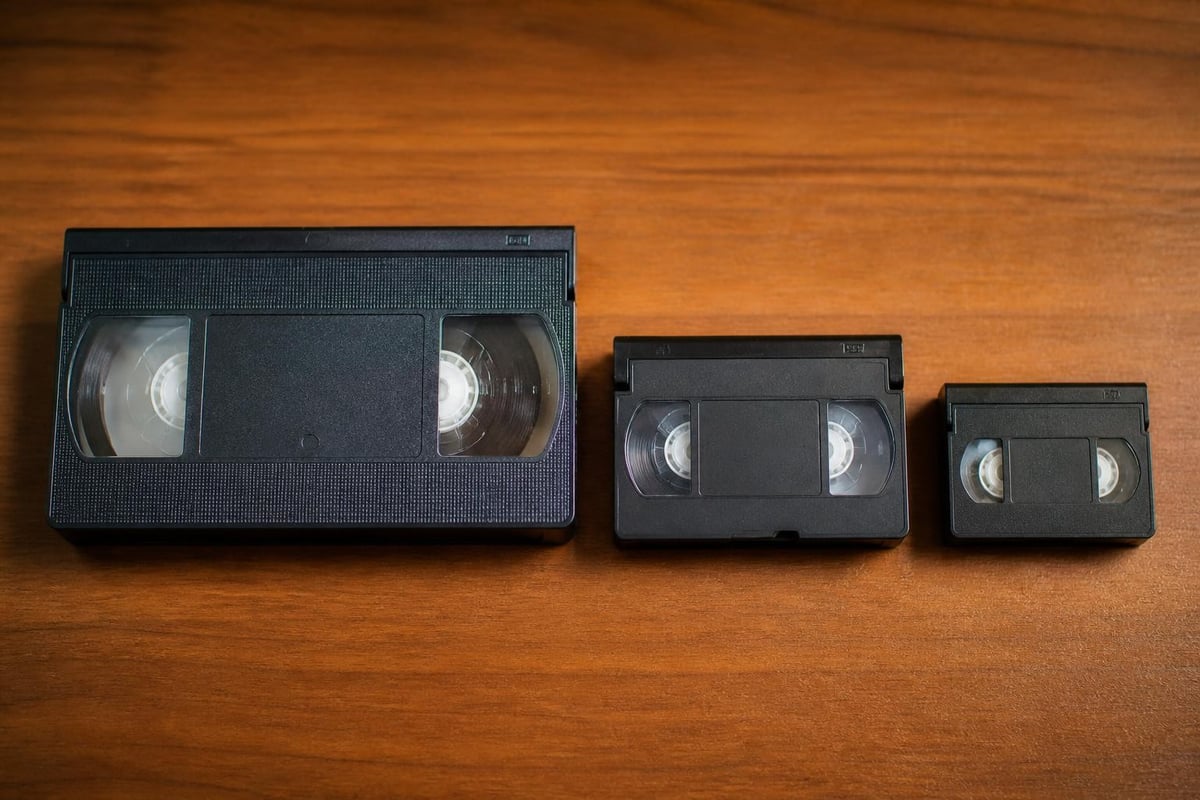
VHS-C cassettes require mechanical adapters for playback in standard VHS decks. These adapters introduce additional failure points through loose gears, worn belt drives, and alignment inconsistencies.
Adapter maintenance includes gear lubrication, belt replacement, and cassette retention spring adjustment. Testing adapters with known-good VHS-C tapes prevents misdiagnosis when customer tapes exhibit problems.
Building a Professional Repair Kit
Successful vhs fix operations require appropriate tools and supplies. Building a comprehensive repair kit supports both routine maintenance and emergency interventions.
Essential Tools and Supplies
Core tools enable most mechanical repairs and routine maintenance. Quality tools reduce repair time and prevent damage to delicate components.
Minimum tool requirements:
- Precision screwdriver set (JIS and Phillips)
- Hemostats and belt removal tools
- Digital calipers and measuring tools
- Isopropyl alcohol (99% purity)
- Chamois cleaning swabs
- Compressed air or bulb blower
- Multimeter for electrical testing
- Service manuals for common deck models
Advanced diagnostics benefit from oscilloscope access, though most mechanical repairs proceed without electronic test equipment. For shops managing multiple deck types, professional rental equipment provides backup capacity during repairs.
Parts Inventory Management
Common wear parts should remain in stock to minimize repair downtime. Parts availability decreases annually as manufacturers discontinue support for obsolete formats.
| Part Category | Stock Quantity | Replacement Frequency |
|---|---|---|
| Assorted belts | 20-30 pieces | Monthly to quarterly |
| Pinch rollers | 3-5 units | Quarterly to annual |
| Video head cleaning swabs | 100+ pack | Weekly to monthly |
| Idler tires | 5-10 sets | Quarterly to semi-annual |
Establishing relationships with specialty parts suppliers ensures access to critical components. Some repair operations purchase non-functional decks as parts donors, harvesting mechanical assemblies and electronic components for future repairs.
Preventive Maintenance Strategies
Scheduled maintenance prevents unexpected failures and extends equipment lifespan. Professional operations should document maintenance activities and track performance metrics.
Establishing Maintenance Intervals
Usage-based maintenance schedules align service activities with actual wear accumulation. Track operating hours using mechanical counters or service logs.
Recommended maintenance schedule:
- Every 20 hours: Video head cleaning, tape path inspection
- Every 50 hours: Pinch roller cleaning, capstan cleaning, tension adjustment
- Every 100 hours: Belt inspection, lubrication check, complete cleaning
- Every 500 hours: Belt replacement, idler tire replacement, alignment verification
- Annual: Complete service including capacitor testing, servo adjustment, mechanical alignment
For shops using VCR leasing options, maintenance responsibilities typically rest with the equipment provider. This arrangement transfers technical burden away from digitization operations, allowing focus on client services.
Environmental Controls
Storage and operating environment significantly impacts equipment longevity and tape preservation. Temperature and humidity extremes accelerate tape degradation and mechanical wear.
Maintain operating environments between 65-70°F with 30-40% relative humidity. These conditions balance tape flexibility with moisture control, preventing both brittleness and binder softening.
Professional archival facilities often maintain stricter environmental controls, but commercial digitization shops achieve acceptable results within these broader parameters. Climate monitoring equipment provides documentation for quality assurance purposes.
When to Repair Versus Replace
Equipment investment decisions balance repair costs against replacement expenses and capability requirements. Not every deck justifies extensive repair efforts.
Cost Analysis Framework
Professional repair services typically charge $45-150 diagnostic fees plus parts and labor. Complex electronic repairs may exceed $300-500, approaching or surpassing used deck replacement costs.
Decision factors include:
- Deck age and expected remaining lifespan
- Repair cost as percentage of replacement value
- Availability of replacement parts
- Format-specific capabilities and alternatives
- Client project timeline constraints
For common formats like standard VHS, used deck availability makes replacement economically viable. Specialized formats like Betamax or Digital8 may justify higher repair investments due to limited equipment availability.
Strategic Equipment Planning
Professional digitization operations benefit from maintaining multiple decks per format. This redundancy prevents project delays when equipment failures occur.
Budget-conscious operations might maintain one primary deck and one backup deck per major format, supplementing with rental equipment during peak demand or repair periods. Monthly rental costs starting at $99 provide flexible capacity without large capital investments.
Mastering vhs fix techniques ensures consistent digitization quality while controlling equipment costs and downtime. Professional shops benefit from systematic diagnosis, preventive maintenance, and strategic repair decisions that balance quality requirements against budget realities. Whether you need backup equipment during repairs, specialized format capabilities, or prefer to focus on client services rather than maintenance, VCR Supply provides professional-grade rental and repair solutions with flexible monthly terms, expert diagnostics, and maintenance contracts designed specifically for digitization operations.