MiniDV Deck Guide: Choosing and Using a Tape Deck
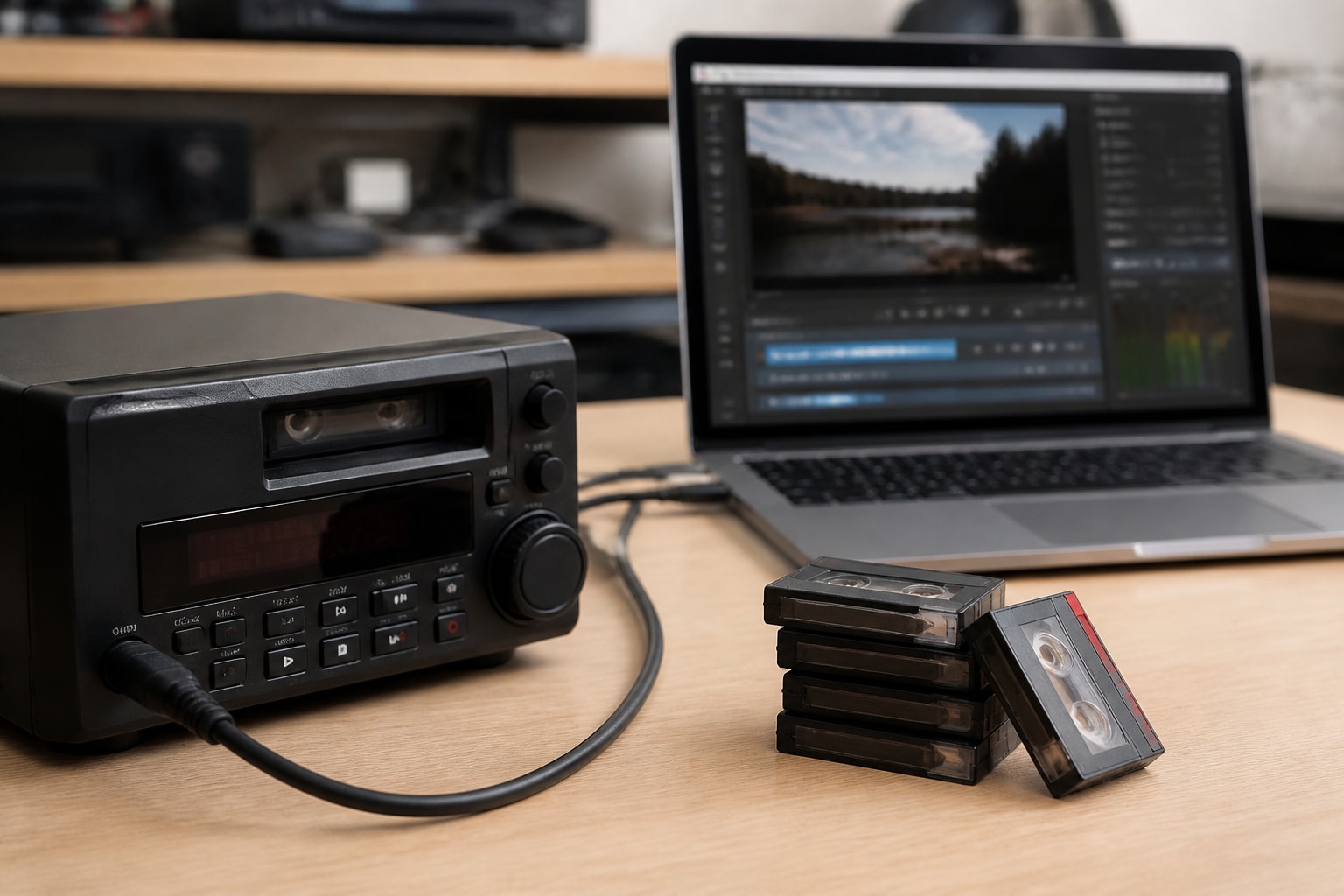
A deck mini dv setup is a tabletop or rack-style tape player that reads MiniDV cassettes and sends the digital video to a computer over FireWire (IEEE 1394), and it is the most reliable way to digitize these tapes at volume. For a digitization shop, the right deck, the right cable chain, and a plan for keeping the machine running matter more than any single spec. This guide covers how MiniDV decks work, what to look for, how to connect one, and how to decide between renting, buying, and repairing.
What a MiniDV Deck Does and Why Shops Prefer One
A MiniDV deck is a dedicated playback and record transport for DV cassettes, built without the lens, sensor, and battery bay that make a camcorder a poor tool for production work. It reads the digital signal stored on the tape and delivers it to your capture software with no analog conversion step, so the footage arrives as the same data the camera recorded.
Camcorders can do the same job, and many small operations start there. The trouble is wear. A consumer camcorder transport is designed for a few hundred hours of use over its life, not for eight hours of cueing, rewinding, and playback every working day. Professional decks are built for that duty cycle, and they typically add features that matter in a workflow:
- Front-panel transport controls that respond quickly to cueing and scrubbing
- Both DV and, on many models, DVCAM playback
- Timecode display for logging and batch capture
- Serviceable heads and drum assemblies, so repair is practical
- Rack-mount or stable tabletop form factors
Deck-class hardware also separates the tape transport from the camera electronics. When something fails, you are repairing a transport, not a whole camcorder with a cracked LCD and a dead battery contact.
Understanding the Format You Are Playing Back
MiniDV stores standard-definition video at a fixed data rate, and knowing the specifics helps you set up capture correctly. According to Sony's supported video format table, DV is listed at 720×480, 59.94i, and 25 Mbps for one format entry, and 720×576, 50i, and 25 Mbps for another. Those figures are the baseline your capture workflow should preserve.
Two related points affect tape handling:
- DV versus HDV. Both can sit on a MiniDV cassette. Sony notes that DV-format video imports in standard definition, while HDV imports in high definition, so confirm what a tape contains before you pick a deck. A deck that plays DV only will not decode HDV recordings.
- DVCAM and DVCPRO. Some professional decks play DVCAM tapes, which use a wider track pitch. Check the model's supported formats if your clients bring in professional footage.
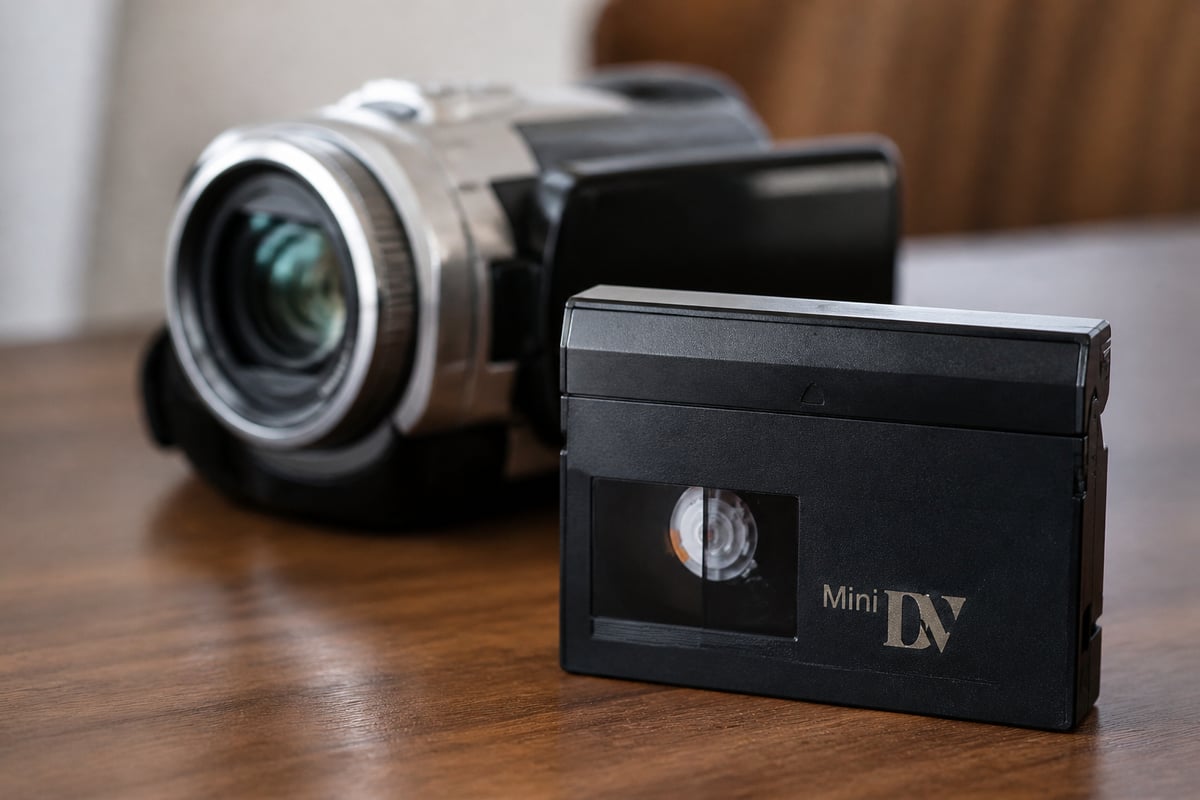
For a deeper look at the cassette itself, VCR Supply has a practical write-up on the MiniDV cassette and how its construction affects playback.
How to Choose a Deck Mini DV Unit for Your Workflow
The best deck mini dv choice depends on tape volume, the formats your customers bring in, and how much downtime your business can absorb. Start with the questions below before comparing models.
Match the deck to your tape mix
If your intake is mostly consumer camcorder tapes from the late 1990s through the 2000s, a standard DV-capable deck is sufficient. If clients also bring in DVCAM, plan for a unit that lists it. Shops that handle mixed formats often choose a combination unit. The JVC SR-VS30U is a dual deck that plays both MiniDV and S-VHS, which suits a bench that handles both formats without swapping hardware.
Check the connections
Nearly every MiniDV deck uses FireWire for digital output, and that creates a practical question about ports. Sony notes that camcorders use a 4-pin i.LINK port, while computer ports may be 4-pin or 6-pin. Confirm the port on your deck and computer before ordering a cable.
Weigh condition and serviceability
A deck that looks clean can still have worn heads, a tired pinch roller, or a drum that is out of tolerance. Ask for documented testing, ask what is covered, and confirm that parts and repair support exist for the model you are considering. Discontinued hardware is only a good value when someone can still fix it.
Compare the three ways to get a deck
| Option | Upfront cost | Maintenance burden | Best for |
|---|---|---|---|
| Buy used | Varies by seller and condition | Yours alone | Shops with in-house repair skill |
| Rent | Monthly fee | Provider handles wear and swaps | Seasonal or project-based volume |
| Repair existing | Diagnostic plus parts and labor | Ongoing | Shops with equipment already on the bench |
For shops weighing the rental route, the MiniDV deck rental page lays out what is available.
Setting Up the Connection: Cables, Ports, and Software
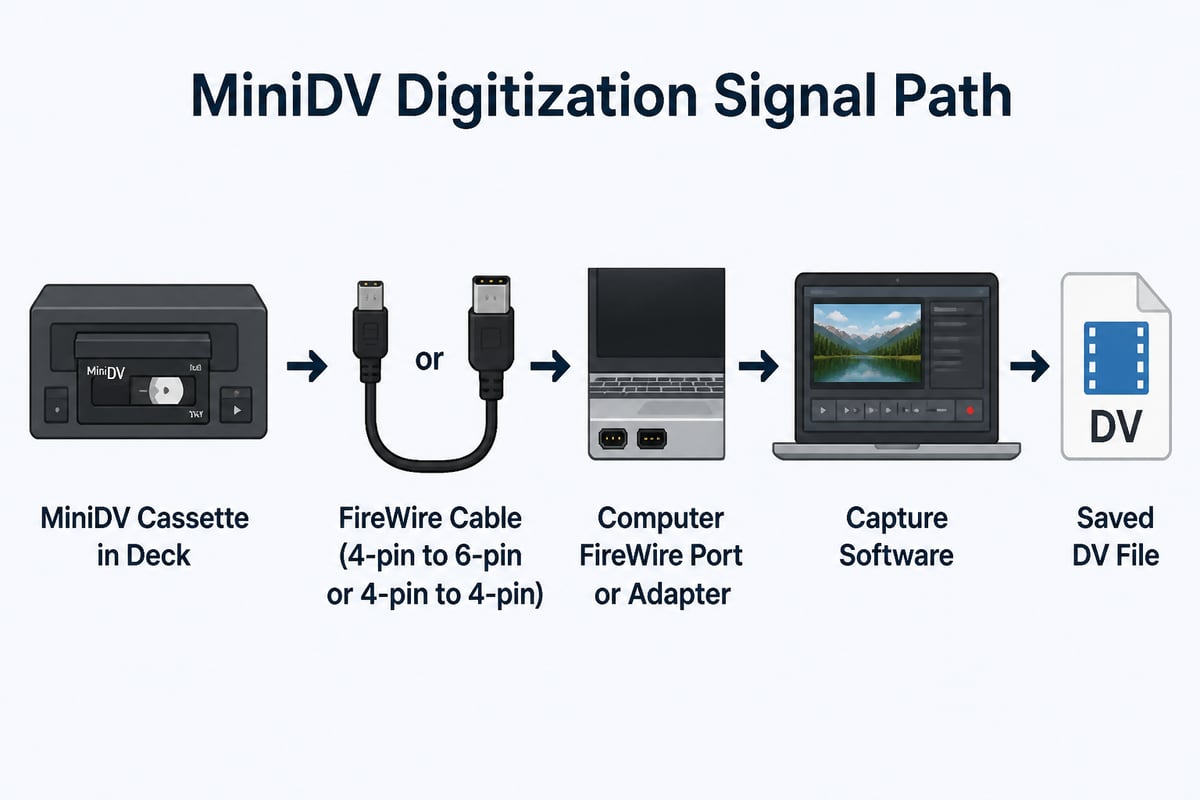
The setup is simple once the cable chain is right: deck, FireWire cable, computer port, and capture software. Most problems come from the cable, not the deck.
- Identify the deck's port. Look for a 4-pin or 6-pin FireWire jack, often labeled DV, i.LINK, or IEEE 1394.
- Choose a cable that fits both ends. A 4-pin to 6-pin cable is common. A 4-pin to 4-pin cable is also available.
- Check your computer. Modern computers rarely include FireWire. A FireWire-to-Thunderbolt adapter chain or a PCIe FireWire card is the usual solution, depending on the machine.
- Power the deck before the computer sees it. Connecting a live FireWire device can be less reliable than starting with the deck already on.
- Open capture software and confirm the device appears. If the deck is not listed, test a different cable before suspecting the deck.
Sony's guidance on the process is straightforward: cue the tape, play it in the camcorder, and import it with compatible capture software. The same sequence applies to a deck. Sony no longer supports the software bundled with its cameras for this purpose, so plan on compatible capture tools rather than relying on bundled discs.
Capture the video as a native DV stream when possible. That keeps the original 25 Mbps data intact and leaves any re-encoding for a later, separate step.
Can You Convert MiniDV Tapes Without a Camcorder?
Yes, a dedicated deck lets you convert MiniDV tapes to digital files without using a camcorder at all. The process is the same as with a camera: the deck reads the tape, passes the DV stream over FireWire, and software writes it to disk. For a shop that digitizes tapes as a paid service, a deck is usually the better choice, since it handles heavy daily use and is easier to service.
One alternative is to use a third-party conversion service, which is useful for a household with a single shoebox of tapes. For a business, sending work out removes your control over quality and turnaround. Owning or renting a deck keeps the job in-house.
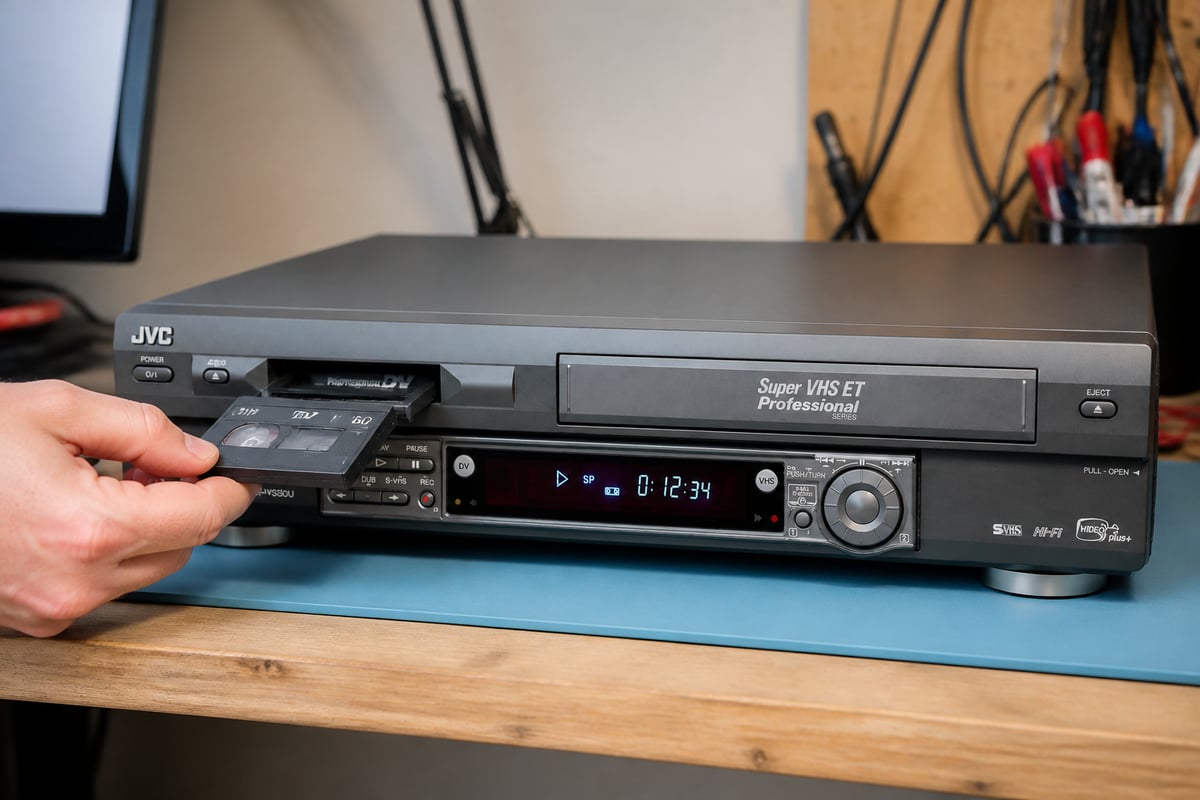
When a shop needs one machine that covers two common tape types, a refurbished dual deck can simplify the bench. VCR Supply offers the JVC SR-VS30U for rent or repair, with tested units and swap-in coverage described on the product page.
Are MiniDV Tapes Still Being Made?
MiniDV tapes are no longer a mainstream product, but supply has not vanished entirely. New-old-stock cassettes surface through resellers and surplus channels, and availability changes over time, so check current listings rather than relying on a fixed answer. For blank tapes used in recording, quality varies with storage history, so test any bulk purchase before trusting it with irreplaceable material.
For digitization shops the more important question is playback, not new tape. Your customers already own the cassettes. What you need is a transport that reads them reliably. VCR Supply's article on the MiniDV tape covers handling and storage considerations in more detail.
Common Deck Problems and What They Mean
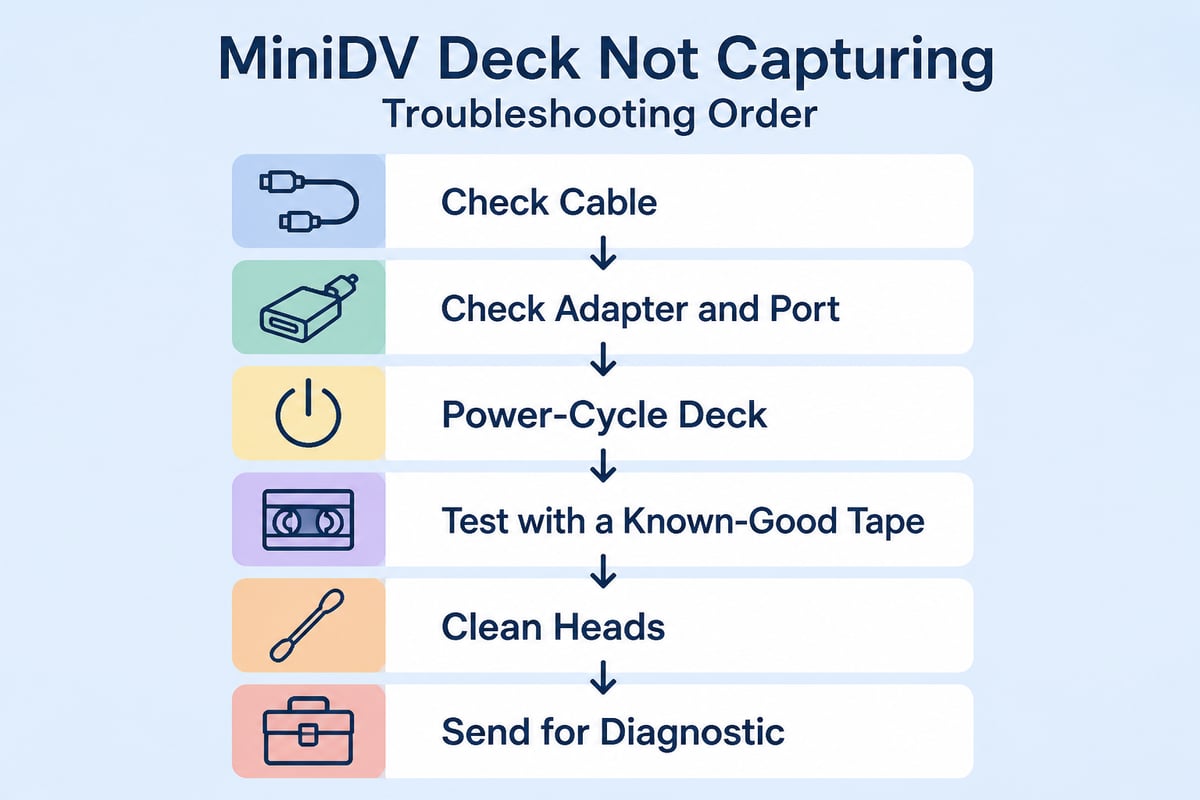
Most MiniDV deck failures fall into a short list, and recognizing them early saves tape. Watch for these symptoms:
- Dropouts or mosaic blocks in the image. Often a dirty or worn head. Cleaning may help; heavy wear requires head work.
- Tape will not load or eject. Usually a loading mechanism or sensor issue. Do not force the cassette.
- Intermittent audio. Can indicate a head problem, a cable fault, or a software buffer issue. Swap the cable first.
- Device not detected by the computer. Check the cable, the adapter, and the port before assuming deck failure.
- Squealing or unusual transport noise. Stop playback. Continued use can damage a tape.
A reasonable rule in a production setting: if a tape shows damage after a pass through the deck, pull the deck from the line and test it with a sacrificial cassette before returning it to service. Clean the heads on a regular schedule, and log hours of use per machine so you know when service is due.
When to Repair, Rent, or Replace
Repair makes sense when the deck is a model you rely on and the fault is isolated. Rental makes sense when you need capacity quickly, or when a repair would leave a gap in your schedule. Replacement makes sense only when parts are unavailable or repair cost approaches the value of a refurbished unit.
A maintenance contract is the option shops often consider too late. Rather than reacting to failures during a backlog, a contract with a repair provider schedules service and provides swap units, which reduces downtime during busy periods. VCR Supply publishes information on its VCR repair service for shops comparing options, and its diagnostic and rental terms are listed on its site and contact page.
If your bench also handles other formats, related rental pages cover Digital8 deck rental and S-VHS deck rental, which is useful when a customer brings in a mixed box of tapes.
Is MiniDV Better Than Digital8?
Neither format is simply better; they differ in cassette type and in what hardware plays them. MiniDV uses a smaller cassette and is the more widely supported format, with a broader range of decks. Digital8 uses Hi8-type cassettes and often lets a deck play older analog Hi8 and Video8 tapes as well, which can be an advantage if your customers have a mix of eras.
For a digitization shop the decision is driven by what arrives at the counter. If you see both, plan for both: a MiniDV-capable deck and a Digital8-capable deck, whether owned or rented.
FAQ
Where can I buy a MiniDV camcorder or deck?
Used MiniDV camcorders and professional decks turn up through resale marketplaces, camera shops, surplus sellers, and used-equipment dealers. Condition varies widely, so ask for test documentation. Shops that do not want to carry the repair risk often rent a tested unit instead.
Do I need FireWire to digitize MiniDV?
FireWire is the standard connection because it carries the DV stream with no quality loss. Some decks and camcorders include USB output, but those paths often re-encode the video. For the most faithful capture, use FireWire with an adapter chain suited to your computer.
How long does a MiniDV deck last?
Lifespan depends on hours of use, cleaning habits, and the model. Professional decks are built for heavier duty than camcorders, and serviceable heads and drums extend their working life. A logged maintenance schedule gives you a more reliable answer for your own machines than any general number.
Start by listing the tape formats and daily volume your bench handles, then check which decks and cables that mix requires. If you want a tested machine without the repair risk, the JVC SR-VS30U is available to rent or send in for service from VCR Supply. VCR Supply rents and repairs professional MiniDV, S-VHS, Digital8, and Betamax decks for digitization shops, offers rental services starting at $99 per month, provides repairs with a $45 diagnostic fee, and sells maintenance contracts to reduce equipment downtime.